How Many LinkedIn Messages Can You Send Per Day? Safe Limits and How to Scale (2026)
LinkedIn has no fixed daily message cap, but there is a safe volume before the spam filters kick in. Here are the real 2026 messaging, connection, and InMail limits, plus how to send more without getting your account restricted.
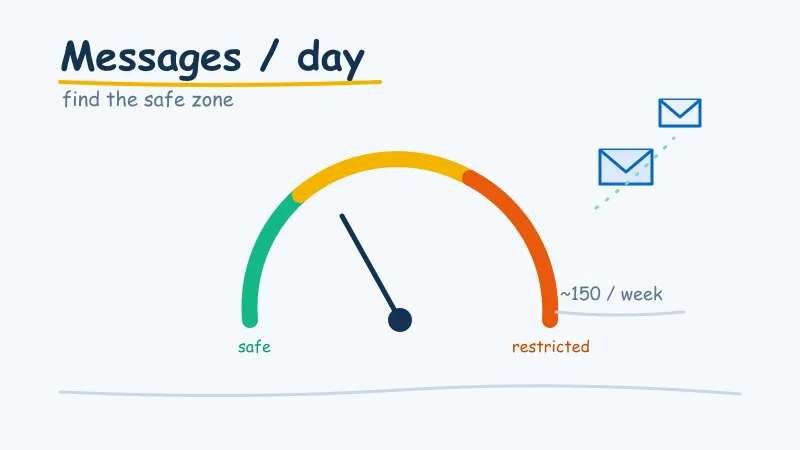
If you run outreach on LinkedIn, the question shows up fast: how many messages can I actually send in a day before something breaks? The honest answer is that LinkedIn does not publish a single hard number, but there is very much a safe zone, and stepping outside it is the quickest way to get your account throttled or restricted.
This guide lays out the real 2026 limits for messages, connection requests, and InMails, explains what actually triggers a restriction, and shows how teams send at genuine volume without gambling their main profile every single week.
Is There a Hard Daily Message Limit on LinkedIn?
Not exactly. Unlike connection requests, which have a clear weekly ceiling, LinkedIn does not enforce a fixed number of messages per day. What it enforces instead is a behavioural filter: an internal system that watches for patterns that look like spam or automation and quietly tightens your account when it sees them.
That means your effective limit is dynamic. It depends on your account age, your Social Selling Index, your acceptance and reply rates, and how many people mark your messages as spam or click “I don’t know this person.” Two accounts sending the same volume can get completely different treatment based on their history and reputation.
So the useful question is not “what is the maximum,” it is “what volume keeps me safely under the radar.” Below are the numbers experienced outreach teams treat as the practical ceiling.
Safe LinkedIn Messaging Volumes in 2026
Here is the range most practitioners consider safe for a healthy, established account:
- New outreach messages: around 100 per week on a free account, up to 150 per week on a paid plan. That is roughly 20 to 30 fresh conversations started per day if you space them out.
- Follow-ups: 200 to 300 per week is tolerable, since replies inside existing threads look far more natural than a wall of brand-new outreach.
- Total daily activity: keep it human. Bursts of identical messages fired at exact intervals are the single clearest automation signal. Spread your sending across the working day.
Two structural limits are worth knowing as well. A standard message to a first-degree connection can be up to 8,000 characters, and message attachments cap out at 20MB. You will almost never hit either, but they occasionally matter for longer nurture sequences.
The key mindset shift: your weekly number matters more than your daily one, and consistency matters more than raw volume. An account that sends 20 thoughtful messages a day, every day, is far safer than one that blasts 150 on Monday and goes quiet.
Connection Request Limits (The Real Bottleneck)
For most outreach, connection requests, not messages, are the true constraint, because you usually have to connect before you can message for free. In 2026 the working numbers are:
- Roughly 100 to 200 connection requests per week, which is about 15 to 30 per day. Accounts with a strong reputation or a premium plan sit at the higher end.
- Stay under about 80 per week if your account is new or your acceptance rate is shaky.
- Free accounts that attach a note to every request can get throttled to around 5 noted requests per week, so use connection notes deliberately rather than on every single invite.
Crucially, this limit shrinks if you misbehave. If your acceptance rate drops below roughly 30 percent, LinkedIn reads your outreach as spam and tightens your restrictions. We covered the full breakdown in our guide to LinkedIn connection request limits, and it is worth reading before you scale anything.
What About InMails?
InMails are the paid way to message people you are not connected to, and they run on a credit system rather than a daily count. Your monthly allowance depends on your plan (Sales Navigator and Premium tiers each grant a set number of credits), and unused credits roll over up to a cap. The InMail subject line is limited to 200 characters and the body to 1,900 characters.
Because you are paying per InMail, the discipline is different: quality over volume, since a wasted InMail is wasted money, not just a wasted send. We go deeper on the mechanics in how many InMails can you send on LinkedIn.
What Actually Triggers a Restriction
Volume alone rarely gets you banned. What gets you restricted is the combination of high volume and low-quality signals. LinkedIn’s system is watching for:
- Low acceptance rates on connection requests (a sign your targeting is spray-and-pray).
- Low reply rates and high “mark as spam” reports on your messages.
- Robotic patterns: identical copy, exact-interval sends, round-the-clock activity, or a sudden spike from a cold account.
- A thin, new, or unwarmed profile sending like an established one.
Notice that most of these are about reputation and behaviour, not a magic number. This is why two people can send the same volume and only one gets restricted. If you want the full survival guide, see how to protect your LinkedIn account from restriction or suspension.
It also explains why warming matters. A brand-new account should send a fraction of these volumes for its first few weeks, ramping up slowly as it builds trust. Our walkthrough on warming up a new LinkedIn account for outreach covers the ramp schedule in detail.
How to Send More Without Getting Restricted
If your safe ceiling is roughly 100 to 150 quality messages a week per account, and your pipeline needs far more than that, you have exactly three levers:
- Raise your reply rate so every send counts for more. Better targeting and personalisation mean you book more meetings from the same volume. Start with our guide to improving your LinkedIn message reply rate.
- Warm and protect a single account so it holds its ceiling reliably. A trusted profile keeps its full allowance; a flagged one gets cut in half overnight.
- Run multiple accounts in parallel. This is the only way to genuinely multiply output, because one profile has a hard reputational cap no matter how good your copy is. The math is laid out in how to scale LinkedIn outreach and how many LinkedIn accounts you can run for outreach.
Levers one and two make each account more efficient. Only lever three actually breaks the ceiling, and it is where most serious outbound teams end up.
The Account Layer Most Teams Ignore
Here is the uncomfortable truth behind every messaging limit: the account doing the sending is the real cap, not the copy. You can nail your volume, personalise every line, and still watch results stall because a new or over-extended profile simply is not trusted enough to deliver, or worse, gets restricted mid-campaign and takes your pipeline down with it.
Running several personal profiles to get around this is a nightmare. Each one needs to be created, warmed for weeks, and babysat, and losing one to a restriction means starting over. This is precisely the problem AIA is built to solve. Instead of risking your own profile or juggling a pile of fragile accounts, AIA gives you established, pre-warmed LinkedIn accounts and AI avatars engineered to send outreach at scale, each with its own healthy sending allowance, so you can multiply volume without multiplying the risk. If you would rather rent trusted capacity than build it from scratch, our guide to renting LinkedIn accounts for outreach explains how it works.
The Bottom Line
There is no single “messages per day” number on LinkedIn, but there is a clear safe zone: roughly 100 to 150 new messages and 100 to 200 connection requests per week per healthy account, spread out to look human, with quality high enough to keep acceptance and reply rates strong. Push past that on a single profile and you are gambling with restrictions.
If you need more than one account’s worth of output, the answer is not to send harder, it is to send across more trusted accounts. Get your targeting and reply rate right, keep every account warm and protected, and when you are ready to genuinely scale, let purpose-built accounts carry the volume instead of your personal profile. See how AIA does it.



