How Many InMails Can You Send on LinkedIn? Monthly Credits by Plan (2026)
How many LinkedIn InMails you can send depends on your plan. Here are the 2026 monthly InMail credits for Premium and Sales Navigator, how credits roll over and get refunded, and how to reach more prospects without running out.
If you prospect on LinkedIn, InMail is the tool that lets you skip the connection request and message someone directly, even when you are not connected. It is powerful for exactly that reason, so LinkedIn does not hand it out freely. Every paid plan comes with a fixed number of InMail credits per month, and once they are gone, they are gone until the next cycle.
This guide lays out how many InMails you can actually send on LinkedIn in 2026, broken down by plan, plus the rules most people miss: how credits accumulate, when you get one refunded, and why the free “Open Profile” message does not touch your balance at all. We will finish with the honest way to reach more prospects once your credits run dry.
The Short Answer: Monthly InMail Credits by Plan
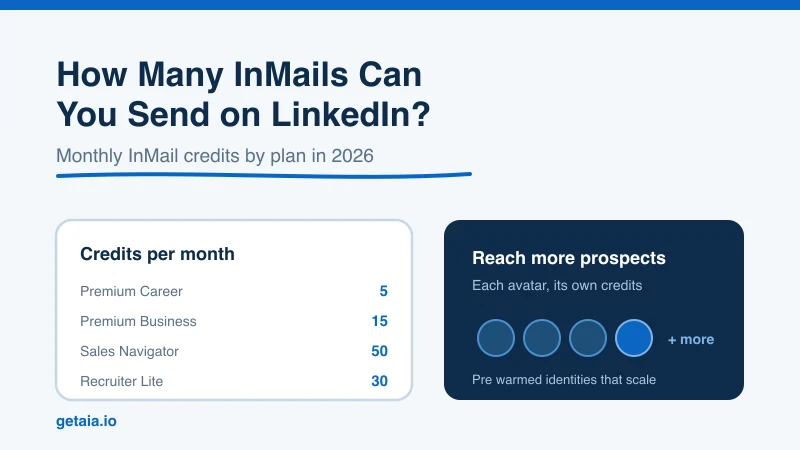
InMail credits are tied to your subscription. Here is the practical monthly allowance for the common paid tiers in 2026:
- Premium Career: about 5 InMail credits per month
- Premium Business: about 15 InMail credits per month
- Sales Navigator Core: about 50 InMail credits per month
- Recruiter Lite: about 30 InMail credits per month
- LinkedIn Recruiter (full): higher allowances that scale with seat and license
These numbers are the baseline LinkedIn grants at the start of each billing cycle. They are modest on purpose. Even Sales Navigator, the plan built for outbound sales, gives you only around 50 direct messages a month to people outside your network. That works out to roughly two InMails per business day.
How InMail Credits Accumulate
Unused credits do not simply vanish at the end of the month. LinkedIn lets them roll over, but only up to a ceiling. Each account type has a maximum accumulation cap, and once you hit it, you stop banking new credits until you spend some.
The maximum balances you can hold are roughly:
- Premium Career: up to 15 accumulated credits
- Premium Business: up to 45 accumulated credits
- Sales Navigator: up to 150 accumulated credits
- Recruiter Lite: up to 120 accumulated credits
The cap is generally three times the monthly grant. So if you leave Sales Navigator idle, your balance climbs by 50 a month until it tops out at 150, then holds there. The lesson is simple: banked credits are useful for a burst of outreach, but you cannot stockpile them forever, so idle credits are wasted capacity.
The Rules Most People Miss
InMail has a few mechanics that quietly change how far your credits stretch. Knowing them is the difference between running dry mid-month and getting real mileage out of your allowance.
- You get a credit back when someone replies. If a recipient responds to your InMail within 90 days, LinkedIn refunds that credit. Reply, not accept, is the trigger. This is why a well-targeted, well-written InMail is not just better outreach, it is literally cheaper. A high response rate can nearly pay for itself.
- Open Profile messages are free. Some members turn on the Open Profile setting, which lets anyone message them without spending a credit. Before you spend an InMail, check whether the profile is open, because that message costs you nothing.
- A non-reply still costs you. If your message is ignored, the credit is gone. That is the real tax on spray-and-pray outreach, and it is why targeting matters more than volume.
Put together, these rules reward quality. Fewer, sharper messages to the right people stretch a small allowance a long way. For the mechanics of writing InMails people actually answer, see our guide on crafting the best LinkedIn InMail subject line.
InMail vs. the Connection Request
InMail is not your only way in. The free alternative is a connection request with a note, and for most outreach it is the workhorse. The trade-off is straightforward:
- InMail reaches anyone immediately, costs a credit, and is capped tightly by your plan.
- A connection request is free and unlimited by credits, but it is capped in a different way: LinkedIn limits how many you can send per week, and it only reaches the person once they accept.
Neither is unlimited. If InMail rations you by credits, the connection request rations you by weekly volume, and pushing past that has its own risks. We cover those in detail in our guide on LinkedIn connection request limits. Most effective outbound uses both: InMail for high-value targets worth a credit, connection requests for everyone else.
How to Reach More Prospects When Credits Run Out
Once you understand the caps, the ceiling on serious outreach becomes obvious. Even the best plan tops out at around 50 fresh InMails a month, and layering in weekly connection request limits, a single LinkedIn account can only do so much. Buying more credits helps at the margin, but the account itself is the bottleneck.
The people who scale outbound past this do it by working smarter on each account and then adding capacity through more identities:
- Protect your response rate. Since replies refund credits and non-replies burn them, tight targeting and a relevant opener are the highest-leverage things you can do. Read 11 best practices for LinkedIn cold outreach.
- Lead with connection requests, reserve InMail. Spend credits only on prospects who are worth the direct line and not reachable another way.
- Add capacity with more identities. The credit and connection caps are per account. The safe way to multiply your reach is to run more profiles, each operating comfortably inside its own limits, rather than pushing one account into the danger zone.
That last point is exactly the problem AIA was built to solve. Instead of hammering a single profile against its InMail and connection caps, AIA gives you pre-warmed LinkedIn avatar accounts, each a real, aged identity with its own credit allowance, so you can scale outreach horizontally and safely. You get more total capacity without asking any one account to do something LinkedIn will punish it for.
The Bottom Line
How many InMails can you send on LinkedIn? Between 5 and 50 a month for most paid plans, with a rollover cap at roughly three times that, and a credit back every time someone replies within 90 days. Those are real constraints, and they are the same for everyone.
The winners are not the ones who find a trick to get unlimited InMails. They are the ones who spend a small, rationed allowance on the right people, use free connection requests for the rest, and scale through additional warmed identities when a single account is not enough. Work with the limits, not against them, and your pipeline will thank you.
Ready to scale your LinkedIn outreach past what one account can handle? See how AIA avatars work.



