How Many LinkedIn Accounts Can You Run for Outreach?
LinkedIn lets you have one personal profile, so how do teams send thousands of touches a week? Here is the honest answer on account limits, how many profiles you can safely stack, and how to scale without a ban.
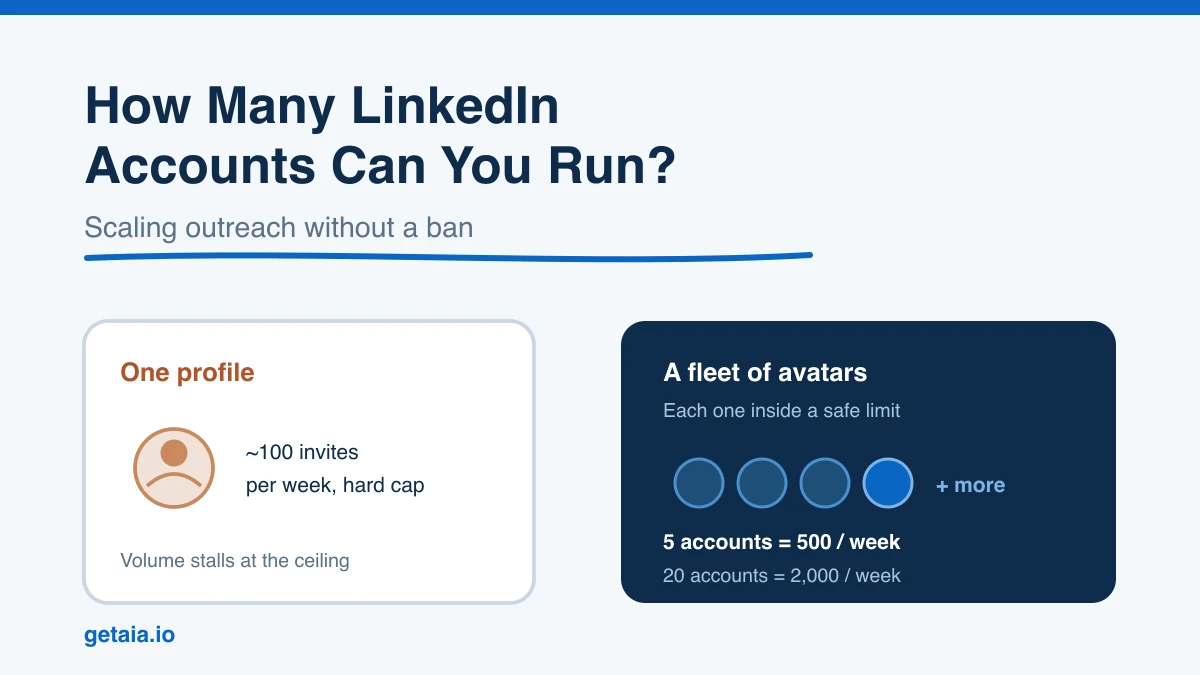
If you run outbound on LinkedIn, you eventually ask the same question: how many accounts can I actually run before something breaks? The honest answer has two parts. LinkedIn officially wants one personal profile per real person, but serious outbound teams still send thousands of touches a week. They do it by stacking many separate identities, each one operating well inside its own limits.
This guide walks through what the rules really say, the hard per account ceilings you cannot cheat, how many profiles teams stack in practice, and the setup that keeps a fleet alive instead of getting the whole batch restricted at once.
The Official Rule Versus What Teams Actually Do
Start with the part that trips people up. LinkedIn’s terms allow one account per person. Creating duplicate or fake profiles for yourself is a direct violation, and it is one of the fastest ways to lose an account. So in the strict, single person sense, the answer is one.
That is not the question outbound teams are asking, though. What they mean is how many outreach identities can I operate across my program without getting them all restricted. Here the answer is very different. You can run many accounts as long as each one belongs to a distinct, real, properly separated identity and each stays inside safe activity limits. The problem was never the count. The problem is running multiple accounts that LinkedIn can correlate back to one operator, or pushing any single account past what a normal human would do.
That distinction is the whole game. Get identity separation and per account limits right and a fleet is stable. Get either wrong and it does not matter whether you have three accounts or fifty, they go down together.
The Hard Limits on a Single Account
Before you think about stacking accounts, you need to know the ceiling on one. These numbers move a little over time and by account age, but the working ranges most teams plan around are consistent:
- Connection requests. Roughly 100 per profile per week is the safe ceiling. Newer or unwarmed accounts should sit well below that.
- Messages. Around 100 to 150 per day is realistic for a healthy, established profile, less for a fresh one.
- InMails. Sales Navigator Core includes about 50 InMail credits per month. We break the InMail math down in how many InMails you can send on LinkedIn.
- Profile views and searches. These are throttled too, and aggressive scraping or viewing triggers warnings quickly.
The key insight: one profile has a real, low weekly ceiling on new conversations. If your pipeline needs 2,000 fresh touches a week, a single account mathematically cannot deliver it, no matter how good your tooling is. For the full breakdown of the invite ceiling and the warning signs that you are pushing too hard, see our guide on LinkedIn connection request limits.
How Many Accounts Teams Actually Stack
Once you accept the per account ceiling, scaling becomes simple arithmetic. You add identities and let each one work inside its own safe limit. In practice, outbound teams run anywhere from a handful of profiles to fifty or more depending on target volume:
- 5 accounts puts roughly 500 connection requests a week within reach.
- 20 accounts gets you to about 2,000 a week.
- 50 accounts pushes toward 5,000 a week.
The pattern is linear on purpose. You never ask one account to break its cap. You spread the load so that every identity looks like a normal professional using LinkedIn at a human pace, and the volume comes from the number of identities rather than from overloading any single one. This is the model behind most agency and high volume outbound programs, and it is the reason the account layer, not the automation tool, is the real bottleneck.
What Actually Keeps a Fleet Alive
Here is the part most people underestimate. Running multiple accounts safely is not about the sending tool. It is about isolation. LinkedIn is good at correlating profiles that share fingerprints, and when it links a cluster back to one operator it tends to restrict all of them in the same sweep. Three things have to be true for every account in your fleet:
- A separate browser environment per account. Shared cookies, sessions, or a single device controlling many logins is an obvious correlation signal.
- A dedicated residential or mobile proxy per account. No shared IPs. Several accounts hitting LinkedIn from one address is one of the clearest tells there is.
- Behavioral separation. Distinct schedules, distinct message copy, and human paced activity so the accounts do not move in lockstep.
Skip any one of these and LinkedIn can quietly connect the accounts, then take them all down at once. This is why simply buying or renting a pile of profiles rarely works on its own. The identities still need real infrastructure and real warmup behind them, and maintaining that across dozens of accounts is a genuine operational burden. If you are choosing between renting, buying aged profiles, or building your own layer, we compare the options in renting LinkedIn accounts for outreach.
The Warmup Problem Nobody Skips
Even with perfect isolation, a brand new account cannot start sending at full volume. Fresh profiles with no photo, no history, and zero connections are exactly what LinkedIn watches most closely, and they get restricted fastest. Every account in a fleet needs a warmup ramp before it does real outreach: complete the profile, build a base of connections, and increase activity gradually over weeks.
That ramp is real work, and it multiplies with every account you add. Warming one profile is a chore. Warming twenty in parallel, each on its own proxy and browser, is a project. We cover the process in how to warm up a new LinkedIn account for outreach, and it is the step most teams either rush or skip, which is exactly why their accounts do not last.
The Cleaner Way to Scale the Account Layer
Add it all up and the real question is not how many accounts you can run, it is how many you can run without turning account management into a full time operations job. Every profile needs its own warmed identity, its own proxy, its own browser environment, and its own babysitting, and that overhead is what caps most teams long before LinkedIn does.
This is the problem AIA is built to remove. Instead of you assembling proxies, browsers, and warmup routines for each profile, each AIA avatar arrives pre warmed and pre aged with 100 or more real connections already in place, and comes with the isolation handled for you. You run each identity inside a sane weekly limit and stack as many as your pipeline needs into one coordinated outreach layer, which is how you reach thousands of touches a week without asking any single account to break its cap or risking the whole fleet on a shared fingerprint. The avatars are also ID verifiable, which is what keeps them stable where anonymous throwaway profiles do not.
If you want to see how the pricing scales as you add profiles, the AIA pricing page lays out the per profile cost and volume discounts, and how to start with AIA walks through standing up your first accounts.
The Bottom Line
You get one personal LinkedIn profile as a person. But for outreach, the number of identities you can operate is limited only by how well you isolate and warm each one. One account tops out near 100 invites a week. Stack five properly separated, pre warmed accounts and you are at 500. Stack twenty and you are at 2,000. The ceiling is not the count, it is the operational cost of keeping every account clean, and that is exactly the cost worth engineering away.
Stop letting account management cap your pipeline. Run pre warmed, ID verifiable AIA avatars built for outreach at scale, each sending inside safe limits, backed by a 48 hour replacement SLA and volume discounts as you grow. Start your order at app.getaia.io and put a real account layer behind your outbound.



