LinkedIn Connection Request Limits in 2026: How Many You Can Really Send
How many LinkedIn connection requests can you send per day and per week in 2026? Here are the real weekly caps, the warning signs, and how to scale outreach past them without getting your account restricted.
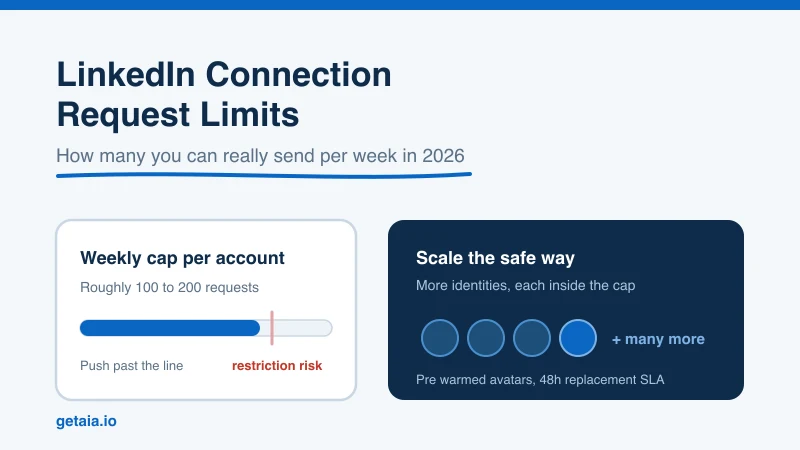
If you run outbound on LinkedIn, the connection request is your front door. It is how you start conversations, build a network, and feed a pipeline. So the first hard wall almost everyone hits is the same one: LinkedIn caps how many connection requests you can send, and if you push past that cap, you do not just get throttled, you risk a restriction on the account.
This guide lays out the real LinkedIn connection request limits in 2026, how the platform decides when to slow you down, the warning signs that you are close to the edge, and the honest path to sending more without torching your profile. We will keep it practical, including the parts most “growth hack” posts skip.
The Short Answer: How Many Connection Requests Per Week
LinkedIn moved from a daily model to a weekly model years ago, and that is still how the cap works. The practical ceiling for most accounts is roughly 100 to 200 connection requests per week. Newer accounts and accounts with low activity sit at the bottom of that range. Older, more active, well connected profiles can run closer to the top.
There is no single public number LinkedIn publishes, and that is on purpose. The limit is dynamic. It flexes based on your account age, your acceptance rate, how complete your profile is, and how human your activity looks. Two accounts sending the same volume can get treated very differently.
A few anchors worth keeping in mind:
- A safe weekly ceiling for most profiles is around 100 to 200 requests. Ramp toward it, do not start there.
- Daily pacing matters more than the weekly total. Sending 20 to 25 requests spread across the day looks far more natural than firing 150 in one burst on Monday.
- Your pending invitation queue also has a cap. LinkedIn limits how many unaccepted requests can sit outstanding, and a pile of ignored invites is itself a signal that your targeting is off.
Why LinkedIn Limits Connection Requests at All
The cap is not arbitrary. LinkedIn’s whole product depends on the network feeling like real professional relationships, not a spam channel. So the platform watches for behavior that looks automated or indiscriminate and pushes back on it.
Two things drive most of the enforcement:
- Acceptance rate. If a large share of your requests get ignored or marked “I don’t know this person,” LinkedIn reads that as low quality outreach and tightens your limit. A healthy acceptance rate buys you more room.
- Behavioral pattern. Perfectly even timing, round the clock activity, or a sudden spike from a cold account all look like a bot. Human variability is what keeps you under the radar.
The takeaway is that the limit is really a trust score in disguise. The better your targeting and the more human your pattern, the more headroom you get.
Warning Signs You Are Close to the Limit
LinkedIn usually gives you signals before it drops the hammer. Watch for these:
- The “add a note” or connect flow starts asking for the recipient’s email to confirm you know them. That is a classic throttle.
- A warning banner telling you that you are sending invitations too quickly, or that some invitations are being withdrawn.
- A weekly invitation limit message that blocks you from sending more until the window resets.
- A sudden drop in acceptance as your requests start landing in spam-like obscurity.
If you see any of these, stop, let the account rest, and lower your volume when you resume. Pushing through a warning is the fastest way to a full restriction. For more on keeping a profile healthy, see our guide on how to protect your LinkedIn account from restriction or suspension.
How to Send More Without Getting Restricted
Most people try to beat the limit by getting more aggressive from a single account. That is exactly backwards. The limit is per account, so the safe way to scale is to improve quality on each profile and then add capacity through more identities. Start with the quality levers:
- Tighten targeting. Fewer, more relevant requests lift your acceptance rate, which raises your ceiling. Volume for its own sake works against you.
- Personalize the opener. A relevant reason to connect beats a blank request or a generic template. Higher acceptance means more headroom.
- Ramp gradually. A new or newly active account should start low, maybe 20 to 30 a week, and climb over several weeks.
- Warm the profile. A complete profile with a photo, history, and existing connections is trusted more than a bare one. See how to build LinkedIn connections for the fundamentals.
- Keep your pending queue clean. Withdraw stale, unaccepted invites so your outstanding requests do not pile up.
Do all of that and a single account might safely reach 150 to 200 requests a week. Good. But now do the math on what your pipeline actually needs.
The Real Ceiling Is One Account, Not the Number
Here is the uncomfortable part. Even a perfectly optimized profile tops out at a couple hundred requests a week. If your pipeline needs thousands of touches, no amount of prompt engineering on your opener changes the fact that one identity cannot get you there. The weekly cap is a hard wall per account.
Teams that need real volume solve this the only way that works: they add more sending identities. That is where the choice matters. You can:
- Run outreach from personal or employee profiles. This puts your real people’s accounts, and your brand, directly in the line of fire when limits get hit.
- Buy or rent aged human profiles. You inherit someone else’s history and depend on unclear replacement terms. We break down the tradeoffs in renting LinkedIn accounts for outreach.
- Use purpose built avatar accounts. You add pre warmed, purpose built identities designed to run outreach at safe per account limits, so total capacity scales while each profile stays inside the caps.
This is the model AIA is built for. Each avatar arrives pre warmed and pre aged with 100 or more connections already in place, so it starts with trust instead of the cold zero history that LinkedIn watches most closely. You run each identity at a sane weekly limit and stack many of them into one coordinated outreach layer, which is how you get to thousands of touches a week without asking any single account to break its cap.
Single Account vs. an Avatar Fleet
| Approach | Realistic weekly capacity | Restriction risk | If an account gets limited |
|---|---|---|---|
| One optimized personal profile | ~100 to 200 requests | Your real identity is exposed | Your own outreach stalls |
| A handful of bought / rented aged profiles | Adds up, quality varies | Inherited history, unclear terms | Depends on vendor policy |
| AIA avatar fleet | Scales with the number of avatars | Each profile runs inside safe caps | 48 hour replacement SLA |
The point is not that limits go away. They never do. The point is that the smart way to scale is to keep every identity comfortably under its cap and add more identities, rather than pushing one account until it breaks.
The Bottom Line on LinkedIn Connection Request Limits
Plan around 100 to 200 connection requests per week per account, treat that number as a dynamic trust score you earn with good targeting and human pacing, and never sprint past a warning banner. Those rules keep a single profile healthy.
When your pipeline outgrows what one account allows, do not fight the cap. Respect it, and scale by adding pre warmed identities that each run inside safe limits. That is how serious outreach teams send thousands of touches a week without a wave of restrictions, and it is exactly what an avatar layer is built to do.
Ready to Scale Past the LinkedIn Limit
Stop hammering one profile against the weekly cap. Run pre warmed, ID verifiable AIA avatars built for outreach at scale, each sending inside safe limits, backed by a 48 hour replacement SLA and volume discounts as you grow. Start your order at app.getaia.io and put a real account layer behind your pipeline.



