LinkedIn Automation for Agencies: How to Run Outreach for Multiple Clients at Scale (2026)
Running LinkedIn outreach for a dozen clients is a different problem than running it for one. Here is how lead gen agencies isolate each client, avoid burning anyone's real profile, and scale to hundreds of sending accounts without the whole operation collapsing when one account trips a limit.
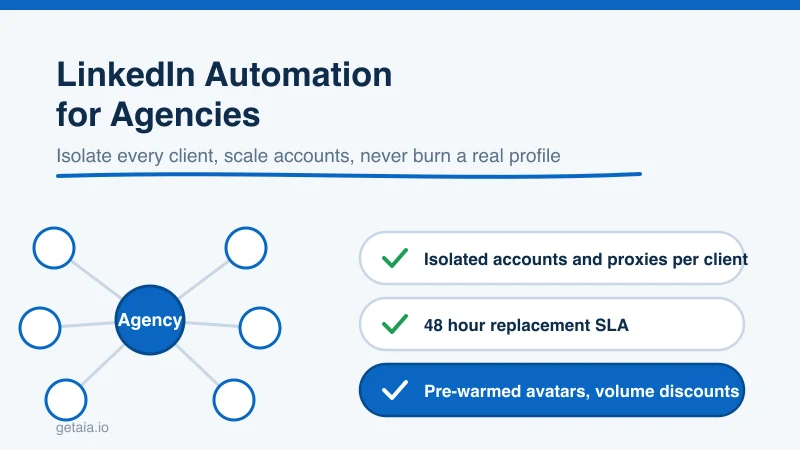
If you run a lead generation agency, LinkedIn is probably your best channel and your biggest operational headache at the same time. One client is easy. Ten clients, each expecting a full pipeline, is a different animal entirely. Now you are juggling dozens of sending accounts, dodging restrictions across all of them at once, and praying that a single suspension does not take a client’s campaign, or worse, a client’s real profile, down with it.
The agencies that scale LinkedIn cleanly are not the ones with the cleverest message copy. They are the ones who solved the account and infrastructure problem first. This guide breaks down how to build a multi client LinkedIn operation that grows with your client count instead of breaking under it.
Why Agency Outreach Breaks Where Solo Outreach Does Not
A solo operator running their own outreach has one account, one reputation, and one risk surface. If they get careful, they are mostly fine. An agency inherits a fundamentally harder problem, and it is worth naming the specific failure points before trying to fix them.
- The blast radius is bigger. With one account, a restriction is an inconvenience. With forty accounts spread across ten clients, a bad configuration or a shared IP pool can flag several accounts in the same week, and now multiple clients are watching their pipeline stall.
- You cannot use clients’ real profiles. The single most tempting shortcut, automating the client’s own LinkedIn login, is also the most dangerous. If that account trips a limit, you have damaged a client’s actual professional identity, and that is a relationship ending event, not a support ticket.
- Isolation is not optional. Client A’s outreach must never share infrastructure, reputation, or account history with Client B. When accounts share IPs or fingerprints, one client’s aggressive campaign raises the risk for everyone else on the same pool.
- Onboarding speed is a sales constraint. If it takes three weeks to warm up accounts before a new client sees a single reply, your churn starts before your results do.
Every one of these problems traces back to the same root: the accounts you send from and the infrastructure underneath them. Solve that layer and the rest of the operation gets dramatically simpler.
The Two Layers Agencies Always Get Wrong
Scaling LinkedIn outreach is really two decisions that agencies tend to treat as one: the tool you automate with, and the account you run it on. Getting one right and the other wrong burns accounts either way.
Layer one: the automation tool
Most popular LinkedIn tools were built for a single user automating their own profile. The critical dividing line for agencies is whether the tool supports custom dedicated proxies, because that is the only way to give each client’s accounts their own clean, stable IP.
Tools that support custom proxies, and therefore work for multi account agency use, include Expandi, HeyReach, Skylead, We-Connect, Buzz, and LIA. HeyReach in particular was designed for agencies and lets you manage many sending accounts under one roof.
Tools that do not support custom proxies, and therefore quietly force your accounts onto shared infrastructure, include Dripify, Waalaxy, Zopto, Dux-Soup, and Ulinc. These can be fine for a single hobbyist profile, but for agency scale they are a liability, because you lose control of the one signal that matters most. We went deeper on this split in our guide to LinkedIn automation tools for rented accounts, and if you want a broader survey of the market, see our top 10 LinkedIn automation tools to scale your outreach.
Layer two: the account you run it on
This is the layer agencies underinvest in, and it is the one that actually sets your ceiling. You have four options for where the outreach comes from, and only one of them scales cleanly across many clients:
- The client’s real profile. Never automate it. The downside is uncapped and the upside is small.
- Bought or aged accounts. You inherit an unknown history and no support if they get restricted. We compared this path directly in AIA avatars or aged LinkedIn accounts, which is better.
- Rented human accounts. Workable, but you are dependent on someone else’s login and behavior. See renting LinkedIn accounts for outreach.
- Purpose built avatar accounts. Pre warmed, ID verifiable identities built specifically to be automated, each ready to attach to its own proxy and its own client. This is the layer that lets an agency add capacity by adding accounts rather than by pushing any single profile harder.
If you are unsure how many accounts a single campaign should even run, our post on how many LinkedIn accounts you can run for outreach covers the safe math.
The Agency Model That Actually Scales
Here is the structure that works once you are past two or three clients. The whole point is per client isolation with a stack of identities under each one.
- One pool of dedicated avatar accounts per client. Client A never touches Client B’s accounts, IPs, or history. Isolation is enforced at the account and proxy level, not just in your spreadsheet.
- A dedicated proxy per identity. Run each avatar from its own stable, persona matched IP. This is the single biggest technical difference between operations that scale and operations that get accounts flagged.
- Volume spread across identities, not piled onto accounts. To double a client’s output, you add avatars, you do not double the sends on existing ones. Every individual account stays inside safe limits and keeps looking human. Our guide on protecting your LinkedIn account from restriction or suspension covers the per account behavior that keeps this stable.
- A replacement path built into the plan. At agency scale, some account will eventually trip a limit. That is not a crisis if a warmed replacement is ready in days. It is only a crisis if a suspension means a client goes dark for two weeks.
This is essentially the virtual SDR team model applied across a client book: many trusted identities, each doing a human volume of work, coordinated centrally. If that framing is new to you, our post on a virtual SDR team versus hiring SDRs walks through the economics.
Why Avatar Accounts Fit Agencies Specifically
Purpose built avatars solve the exact problems that make agency work harder than solo work:
- True client isolation. Each client gets their own dedicated identities on their own proxies, so no client’s campaign can raise the risk for another.
- No exposure to clients’ real profiles. You never automate the account attached to a client’s real name and career, which removes your single largest liability as an agency.
- Fast onboarding. Accounts arrive pre warmed, so a new client is not waiting on a three week warm up you have to babysit. If you do want to warm additional accounts yourself, here is how to warm up a new LinkedIn account.
- A managed risk floor. ID verifiable accounts plus a 48 hour replacement SLA turn platform risk from an existential threat into a predictable line item. We wrote an honest breakdown of that risk in are LinkedIn AI avatars safe.
That last point matters more for agencies than anyone, because you are not just managing your own risk, you are managing it on behalf of clients who will judge you by how you handle the bad day, not the good one.
Pricing That Works With Agency Margins
Agency economics only work if the account layer is priced to scale, and volume discounts make the math land. AIA avatars run $147 (Gold, ID verified), $197 (Titanium, ID verified), $97 (Silver), and $177 (Platinum) per profile per month. Volume discounts of 10, 20, and 30 percent kick in at 10, 50, and 100 or more avatars, so your per account cost drops exactly as your client book grows. Pre warmed email avatars are $11 per domain if you want to run LinkedIn plus email from the same identity. Full numbers are on the AIA pricing page.
For a sense of scale, one top 100 US agency ran 185 AIA avatars to over 500 SQLs and $2.3M in net new revenue in under 90 days. That is what a correctly built account layer unlocks once the tool, the proxy, and the identity are all matched instead of fighting each other.
The Build, Step by Step
- Pick a proxy compatible tool. Choose from the custom proxy list above based on your channel mix and team size. HeyReach and Expandi are strong agency starting points.
- Provision one avatar pool per client. Order pre warmed AIA avatars sized to each client’s target volume, kept fully isolated from every other client.
- Assign a dedicated proxy per identity. One stable, persona matched IP per account, no sharing across clients, ever.
- Ramp gradually and stay inside per account limits. Start low, climb over several weeks, and keep every identity human. See LinkedIn connection request limits for the real numbers.
- Grow by adding identities. To scale a client, add avatars rather than pushing existing accounts harder. Capacity becomes a function of how many accounts you run, not how hard you run each one.
The Bottom Line
Agency LinkedIn outreach is not a copywriting problem, it is an infrastructure problem. The agencies that scale to dozens of clients did it by solving two layers together: a proxy compatible tool like Expandi or HeyReach, running on top of a dedicated, pre warmed, per client account layer. Get that pairing right and adding a client stops being a risk event and becomes a matter of provisioning more avatars.
Build the Account Layer Your Agency Runs On
Your automation tool is only as good as the accounts underneath it. Run pre warmed, ID verifiable AIA avatars built for outreach at scale, isolated per client, each ready to attach to your tool and its own proxy, backed by a 48 hour replacement SLA and volume discounts as you grow. Start your order at app.getaia.io, or message the AIA team on WhatsApp if you want help sizing a fleet across your client book first.



