LinkedIn Automation Tools That Work With Rented and Avatar Accounts in 2026
Not every LinkedIn automation tool works with rented or avatar accounts. Here is which tools support custom proxies, which do not, and how to build an outreach stack that actually scales.
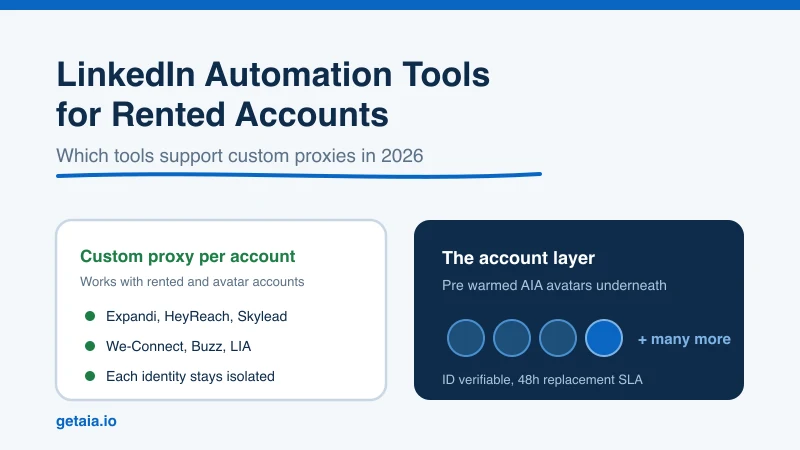
If you are scaling LinkedIn outreach, you quickly learn that the tool is only half the stack. The other half is the account it runs on. And here is the trap almost nobody warns you about: many popular LinkedIn automation tools will not run safely on a rented, aged, or avatar account, because they do not let you assign a dedicated proxy to each identity.
Get that pairing wrong and you burn accounts. Get it right and you can run dozens of identities in parallel, each inside safe limits, without a wave of restrictions. This guide breaks down which LinkedIn automation tools support custom proxies (and therefore work with rented and avatar accounts), which ones do not, and how to build a sending layer underneath them that actually holds up.
Why Custom Proxy Support Is the Deal Breaker
When you run outreach from an account you do not physically log into every day (a rented profile, an aged account, or a purpose built avatar), LinkedIn needs to see a consistent, residential looking connection for that identity. If your automation tool logs into ten different accounts from the same data center IP, or bounces each account across shared IPs, LinkedIn reads that as exactly what it is: one operator puppeteering many profiles.
The fix is a dedicated custom proxy per account. Each identity gets its own stable IP that matches its persona and location. That is the single most important technical requirement for running rented or avatar accounts at scale. So before you fall in love with a tool’s features, ask one question: can I assign my own proxy to each account? If the answer is no, that tool cannot safely drive a rented or avatar identity, no matter how good its dashboard looks.
LinkedIn Automation Tools That Support Custom Proxies
These are the tools built with agencies and multi account operators in mind. Each lets you attach a dedicated proxy per identity, which is what makes them compatible with rented and avatar accounts. If you are building a scaled outreach stack, start here.
- Expandi. A cloud based, multi channel outreach tool popular with agencies and growth teams. It supports dedicated country based proxies per account, smart delays, and dynamic personalization, which makes it a natural fit for running many identities in parallel.
- HeyReach. Built specifically for agencies running LinkedIn outreach at scale. It is designed around managing many sender accounts at once with a dedicated IP per account and unified inbox management, so it pairs cleanly with an avatar fleet.
- Skylead. A cloud based tool with smart sequences that mix connection requests, messages, InMails, and email. It assigns a dedicated proxy per account, which keeps each identity isolated.
- We-Connect. A cloud platform that supports dedicated proxies and is comfortable running multiple accounts, making it workable for teams that manage a roster of profiles.
- Buzz. A multi channel sales engagement platform that supports proxy assignment per account and leans into team based, multi identity workflows.
- LinkedIn Automation Agency style tools (LIA). Purpose built agency tooling that assumes you are running many accounts and gives each one its own connection footprint.
What these tools share is an architecture that assumes you will run more than one account and that each one needs to look like a distinct, stable person. That assumption is exactly what a rented or avatar layer needs.
Popular Tools That Do Not Support Custom Proxies
These tools are perfectly fine for a single person automating their own real profile. But they do not let you assign a custom proxy per account, which means they are the wrong choice for rented, aged, or avatar identities. Running a rented account through them is a fast way to get it restricted.
- Dripify. Cloud based and easy to use, but it does not give you custom proxy control per account, so it is not built for a fleet of rented identities.
- Waalaxy. A browser extension based tool aimed at individual users. No custom proxy assignment, so it does not fit rented or avatar accounts.
- Zopto. Cloud based and capable, but without dedicated custom proxy support per identity it is not suited to running accounts you do not personally own.
- Dux-Soup. A browser based tool tied to your own Chrome session. Great for one profile, unworkable as a multi identity fleet driver.
- Ulinc. Another single account oriented tool without the custom proxy control a rented or avatar setup requires.
None of these are bad products. They are just built for a person automating one real account, not for an operator running a scaled, multi identity outreach layer. Match the tool to the job.
The Missing Layer: The Accounts Themselves
Here is the part most tool roundups skip entirely. Even the best proxy friendly automation tool is useless without the right accounts underneath it. The tool sends the messages. It does not give you trusted, warmed, ready to run identities. That is a separate problem, and it is the one that actually caps your scale.
Your options for the account layer come down to three:
- Use your team’s real profiles. This puts your actual people and your brand directly in the blast radius when limits get hit. It does not scale, and the downside is your own employees’ accounts.
- Buy or rent random aged profiles. You inherit someone else’s messy history and depend on unclear replacement terms. Quality is a coin flip. We break down the tradeoffs in renting LinkedIn accounts for outreach.
- Use purpose built avatar accounts. Identities designed from the ground up to run outreach, each pre warmed and ready to attach to your tool of choice and your proxy.
This is exactly the layer AIA is built to be. Each avatar arrives pre warmed and pre aged with 100 or more connections already in place, so it starts with trust instead of the cold, zero history signal LinkedIn watches most closely. You attach your automation tool and a dedicated proxy, run each identity inside safe limits, and stack many of them into one coordinated sending layer. See how AIA plugs into your existing tools for the integration side.
Why AIA Avatars Fit This Stack
The whole point of the proxy compatible tools above is to run many identities safely. AIA is the identity supply that makes that worth doing.
- Pre warmed and pre aged. Every avatar comes with 100 or more existing connections, so it is not a fresh account that trips instant scrutiny.
- ID verifiable tiers. For teams that want the strongest trust signal, the Gold and Titanium tiers are ID verified. That directly rebuts the tired claim that only real human accounts can be verified. See ID verified LinkedIn accounts for how that works.
- A 48 hour replacement SLA. Platform risk is real and we do not pretend otherwise. If an account gets restricted, you get a replacement inside 48 hours, so a single hiccup never stalls your pipeline.
- Multi channel from one identity. The same avatar can run LinkedIn plus email (pre warmed email avatars are $11 per domain), so your outreach is not locked to a single channel.
- Priced to scale. Tiers run $147 (Gold, ID verified), $197 (Titanium, ID verified), $97 (Silver), and $177 (Platinum) per profile per month. Volume discounts of 10, 20, and 30 percent kick in at 10, 50, and 100 or more avatars. Full breakdown on the AIA pricing page.
This is not theory. One top 100 US agency ran 185 AIA avatars to over 500 SQLs and $2.3M in net new revenue in under 90 days. That is what happens when the tool, the proxy, and the account layer are all matched correctly instead of fighting each other.
How to Build the Stack, Step by Step
- Pick a proxy compatible tool. Choose from the custom proxy supporting list above based on your channel mix and team size. HeyReach and Expandi are strong starting points for agencies.
- Supply the accounts. Order pre warmed AIA avatars sized to your target volume. Read why AIA avatars if you are weighing them against real or bought profiles.
- Assign a dedicated proxy per identity. One stable, persona matched IP per account. This is non negotiable.
- Ramp each account gradually. Start low, climb over several weeks, and keep every identity inside safe per account limits. See LinkedIn connection request limits for the real numbers.
- Stack identities, not volume per account. Add more avatars to grow total capacity instead of pushing any single profile past its cap.
Do that and you get thousands of touches a week without asking one account to break, because the load is spread across many trusted identities that each look completely human.
The Bottom Line
The tool you pick and the account you run it on are one decision, not two. Proxy compatible tools like Expandi, HeyReach, Skylead, We-Connect, Buzz, and LIA can safely drive rented and avatar accounts. Single account tools like Dripify, Waalaxy, Zopto, Dux-Soup, and Ulinc cannot, and forcing them to is how accounts get burned. Underneath all of it, the accounts themselves are what actually decide your ceiling.
Get the pairing right, put a pre warmed identity layer beneath a proxy friendly tool, and scaling LinkedIn outreach stops being a game of dodging restrictions and starts being a matter of how many avatars you add.
Ready to Build the Account Layer
Your automation tool is only as good as the accounts it runs on. Run pre warmed, ID verifiable AIA avatars built for outreach at scale, each ready to attach to your tool and its own proxy, backed by a 48 hour replacement SLA and volume discounts as you grow. Start your order at app.getaia.io, or message the AIA team on WhatsApp if you want help sizing your fleet first.



