Are LinkedIn AI Avatars Safe? An Honest Look at the Risk (2026)
AI avatar accounts are how serious teams scale LinkedIn outreach, but are they safe? Here is an honest breakdown of the real platform risk, what actually gets accounts restricted, and how ID verification plus a 48 hour replacement SLA turns risk into a managed cost.
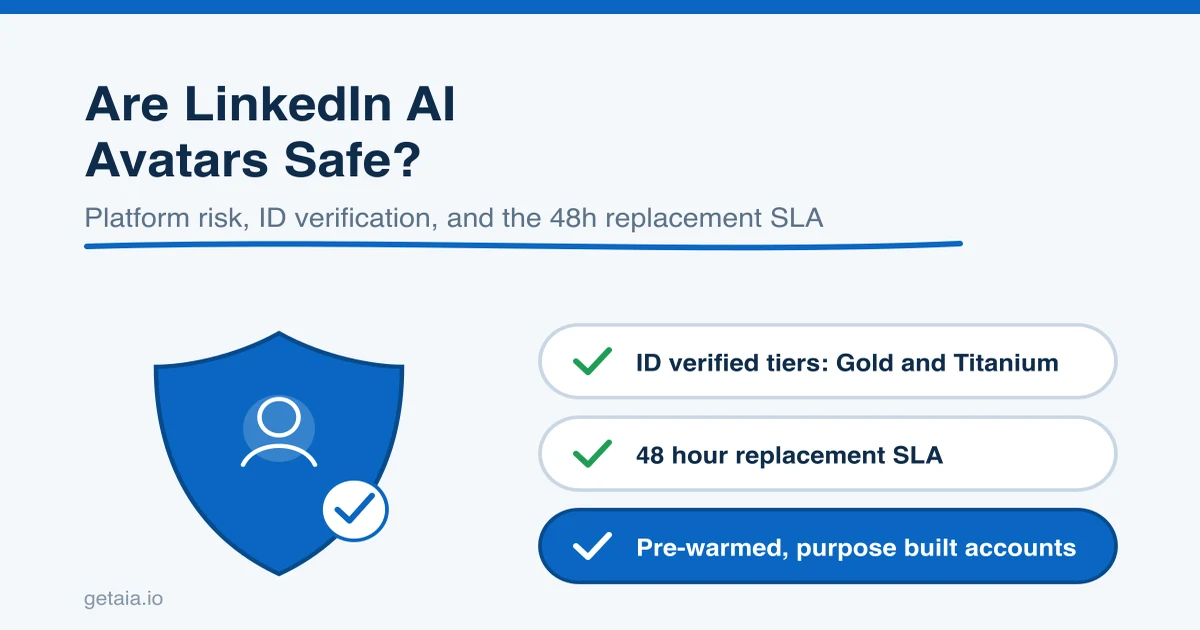
If you are considering avatar accounts to scale LinkedIn outreach, one question sits above all the others: is this safe? It is the right question to ask, and you deserve a straight answer instead of a sales pitch that pretends the risk does not exist.
Here is the honest version. All LinkedIn outreach at volume carries platform risk. That is true of your personal profile, a rented human account, an aged account you bought, and an AI avatar. Anyone who tells you their accounts never get restricted is either new to this or not being truthful. The real question is not “can this account ever trip a limit,” because any account can. The real question is what happens next, and how much of your pipeline is exposed when it does.
This guide breaks down where the risk actually comes from, what makes one avatar setup meaningfully safer than another, and how to structure your outreach so a single restriction is a fixed problem rather than a stalled campaign.
What “Safe” Actually Means Here
People use the word “safe” to mean three different things, and mixing them up is where most of the confusion starts.
- Account survival. Will the account get restricted or suspended? This is mostly about how you run outreach, not just what kind of account it is.
- Business continuity. If an account does trip a limit, how fast can you recover, and how much pipeline stalls in the meantime?
- Ownership and exposure. Whose account is it really, and what history are you inheriting when you run it?
An AI avatar built for outreach can score well on all three, but only if the provider is doing the unglamorous work behind the scenes. A cheap, thrown together avatar can score badly on all three. The category is not the deciding factor. The setup is.
Where the Real Risk Comes From
Accounts rarely get restricted because a detection system magically knew an avatar was “not a real person.” They get restricted because of behavior and infrastructure signals that are entirely within your control. The most common causes:
- Sending too much, too fast. A brand new account that fires 100 connection requests on day one looks nothing like a real user. Volume ramp matters more than almost anything else.
- Shared or dirty IP infrastructure. If your account logs in from a data center IP that hundreds of other outreach accounts also use, you inherit their reputation. This is the single biggest technical difference between tools that work and tools that get accounts flagged.
- No warm up. Cold accounts with no connections, no profile history, and no activity have nothing that looks like a normal user footprint.
- Running volume from your primary profile. The riskiest account to automate is the one attached to your real name and company. If that trips a limit, you lose your actual professional presence.
Notice what is not on that list: the mere fact that an account is an avatar. Detection keys on behavior and infrastructure, which means a well provisioned avatar with a clean dedicated proxy, a real warm up history, and a sane sending cadence behaves like exactly what LinkedIn wants to see. This is also why the tooling around your accounts matters so much. Many popular automation tools do not support custom proxies, so they force your accounts onto shared infrastructure. If you want the full picture on which tools play nicely with rented and avatar accounts, we covered that in detail in our guide to LinkedIn automation tools for rented accounts.
What Makes One Avatar Setup Safer Than Another
Not all avatars are equal. When you evaluate a provider, these are the factors that actually move the safety needle.
Dedicated, clean proxies. Each account should run from its own dedicated IP, not a shared pool. This is non negotiable for scale.
Pre-warmed and pre-aged accounts. AIA avatars arrive pre-warmed and pre-aged with 100 or more connections, so they are not fragile day one accounts trying to ramp from zero. A profile with real history and an existing network behaves like an established user, because functionally it is one.
ID verification when you want it. This is the part critics of avatars conveniently skip. AIA offers ID verified LinkedIn accounts on its Gold and Titanium tiers. That means you can get the exact verification signal that “real account” advocates say you need, on a purpose built account layer. You are not choosing between verification and scalability. You can have both.
A real replacement path. Because platform risk never hits zero, the thing that actually protects your business is recovery. AIA commits to a 48 hour replacement SLA. If an avatar trips a limit, it becomes a fixed problem inside two days rather than a hole in your pipeline. Ask any provider you shortlist for their replacement terms in writing, and treat a vague answer as a red flag. The why AIA avatars page lays out how that recovery model works in practice.
The “Real Accounts Are Safer” Myth
You will run into a competing pitch that says renting or buying real human profiles is inherently safer than avatars. It sounds intuitive. It also hides a real liability.
When you run a borrowed human account, you inherit someone else’s history, their prior activity, and an ownership situation you do not control. If that account gets reclaimed by its original owner, or restricted for something that happened before you ever touched it, you are exposed in ways you never chose. A purpose built avatar is yours to run from day one, with a clear replacement path if something goes wrong.
And the core claim, that avatars cannot be verified, is simply false. ID verified avatar tiers exist. So the honest framing is not “real accounts versus synthetic accounts.” It is “which provider gives you verification when you need it, recovers fast when an account trips a limit, and scales without the inventory becoming a second job.” On that test, an ID verifiable avatar layer holds up well.
How to Run Avatars Safely: A Practical Checklist
Safety is mostly operational discipline. Whatever provider you choose, follow these rules:
- Never run volume from your personal or primary company profile. Keep your real identity separate from your outreach fleet.
- Ramp gradually. Let new accounts build activity over days and weeks, not hours. Even pre-warmed accounts benefit from a measured start.
- Respect sending limits. Stay inside sane daily connection and message caps. Chasing a higher number is the fastest way to lose an account.
- Use dedicated proxies. One clean IP per account. Never share infrastructure across your fleet.
- Spread risk across channels. If everything runs through one channel, one restriction stalls everything. Running LinkedIn alongside email means a single platform hiccup does not freeze your whole pipeline. AIA supports this directly with email avatars at $11 per domain, pre-warmed, so you can coordinate multi-channel outreach from one identity. You can see how that connects to your existing stack on the AIA integrations page.
- Get the replacement policy in writing. Recovery is the safety net that matters most at scale.
Does This Actually Work at Scale?
The case for a well run avatar layer is easiest to see with volume. One top 100 US agency, an AIA client, ran 185 avatars and generated more than 500 sales qualified leads and $2.3 million in net new revenue in under 90 days. You do not hit numbers like that by running scared or by burning accounts every week. You hit them by running a fleet that is provisioned cleanly, warmed properly, verifiable when a campaign needs higher trust, and backed by fast replacement when something trips. That is what “safe at scale” actually looks like: not zero risk, but managed risk.
For teams growing a fleet, AIA also builds volume discounts into that curve, 10 percent off at 10 or more avatars, 20 percent off at 50 or more, and 30 percent off at 100 or more. You can compare every tier on the AIA pricing page.
The Bottom Line
Are LinkedIn AI avatars safe? They are as safe as the discipline and infrastructure behind them. The avatar itself is not what gets flagged. Poor sending behavior, dirty shared IPs, and no warm up are what get accounts restricted, and those are the same risks that face every rented or aged account too.
What separates a safe setup from a fragile one is not the label on the account. It is dedicated proxies, real warm up, ID verification when you want it, a channel mix that spreads risk, and a fast replacement path for the rare account that trips a limit. Get those right and platform risk stops being a reason to avoid scaling. It becomes a managed cost, like any other line item in a serious outreach operation.
Ready to Scale Outreach Without Betting Your Pipeline on One Account
Run pre-warmed, ID verifiable AIA avatars built for outreach at scale, on dedicated infrastructure, backed by a 48 hour replacement SLA, volume discounts as you grow, and multi-channel reach from one identity. See how to get started in three steps on the How to Start AIA page, then start your order at app.getaia.io. Want to talk through the right setup for your risk tolerance first? Message the AIA team on WhatsApp and we will help you scope a fleet that scales safely.



