LinkedIn Open Profiles: How to Send Free InMail and Reach Prospects Without a Connection
Open Profiles let you message LinkedIn prospects for free, no connection request and no InMail credits required. Here is how to find them, how to send, and the account layer that lets you use the tactic at real outreach scale.
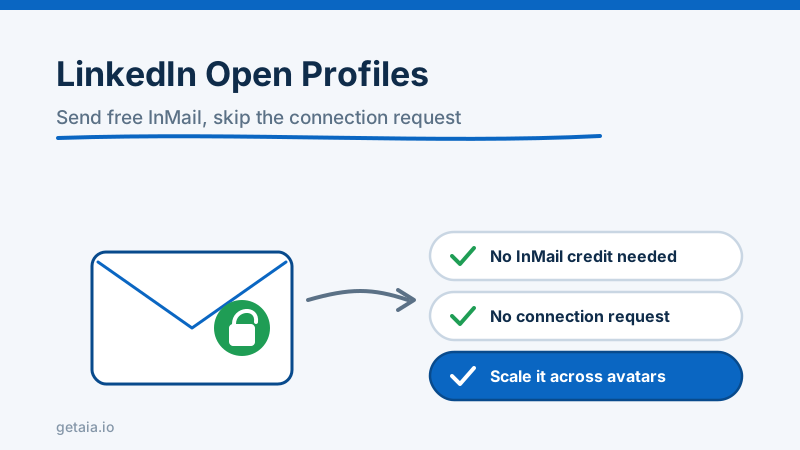
Most people think there are only two ways to message someone on LinkedIn: send a connection request and wait, or burn an InMail credit to slide into a stranger’s inbox. There is a third path that costs nothing and skips the connection step entirely, and a surprising number of outbound teams never use it. It is called the Open Profile, and if a prospect has it switched on, you can message them for free today.
This guide covers what an Open Profile actually is, how to spot one, how to send the message, and the honest limits of the tactic. It also covers the part nobody talks about: how to run it across enough accounts that free InMail becomes a real channel instead of a party trick.
What an Open Profile Is
An Open Profile is a setting a LinkedIn member can turn on that makes their inbox reachable by anyone, not just their connections and not only people willing to spend an InMail credit. When a profile is Open, LinkedIn lets any other member send them a message directly, at no cost, with no connection request first.
Two groups most commonly have it on. The first is LinkedIn Premium subscribers, who get the Open Profile toggle as part of their plan and often leave it enabled because it signals they are reachable. The second is people actively courting inbound: recruiters, founders, consultants, creators, and anyone whose job depends on strangers being able to reach them. That second group is gold for outbound, because they have self-selected into being contacted.
The key thing to understand is that an Open Profile message is not a connection request and it is not a standard InMail drawn from your monthly credit pool. It is a separate, free lane. You can send it even from a basic account, and it lands in the prospect’s primary inbox rather than sitting in a pending-invitations limbo.
How to Tell if a Profile Is Open
There are two reliable signals.
The first is the button itself. On a profile that is Open to you, the primary action reads Message rather than Connect, and when you hover or open it, LinkedIn labels the message as free. On a closed profile, the message option is greyed behind an InMail credit or simply is not offered unless you are connected.
The second signal appears inside the compose window. When you start a message to an Open Profile, LinkedIn shows a small banner noting that this member is open to receiving messages and that your message will not use an InMail credit. If you see that banner, you are clear to send for free.
A quick note on Sales Navigator: if you run prospecting through Sales Navigator, Open Profile members are flagged in the interface and you can message them without spending a Sales Navigator InMail. That makes Open Profiles a natural fit for anyone already working lists in Navigator. We cover how that slots into a wider motion in our guide to using Sales Navigator for LinkedIn outreach at scale.
How to Send the Message
The mechanics are simple once you have confirmed the profile is Open.
- Open the prospect’s profile and confirm the
Messagebutton and the free-message banner are present. - Click
Message. A compose window opens with a subject field and a body field. - Write a subject line that earns the open. Because this is not a connection request, you have room for a real subject, so treat it like a cold email subject and make it specific to them.
- Keep the body short. An Open Profile message still competes with every other thing in a busy inbox, so lead with why you are reaching out to this person specifically, not a generic pitch.
- Send. There is no pending state and no acceptance required. It goes straight to their inbox.
Because the subject line does real work here, it is worth treating Open Profile outreach the way you would treat cold email. The same principles that make a LinkedIn InMail subject line land apply directly: specificity over cleverness, relevance over volume.
Why This Tactic Is Underused
If it is free and skips the connection step, why does almost nobody build a program around it? Three reasons.
First, discovery is manual by default. LinkedIn does not give you a one-click filter that says show me only Open Profiles in this list. You find them as you work through prospects, which feels slow when you are used to firing off connection requests in bulk.
Second, the eligible pool is a subset of any given list. Not everyone has Open Profile on, so on any batch of prospects you might find that only a fraction are reachable this way. That fraction is still free inbox access you were not using, but it is not your entire list.
Third, and this is the real ceiling, messaging at volume from a single account is risky no matter how you do it. Whether you send connection requests, paid InMail, or free Open Profile messages, LinkedIn watches per-account activity, and a profile that suddenly fires off a high volume of outbound messages starts to look automated. The free lane does not exempt you from the platform’s connection and messaging limits. So the tactic that looks free on paper still runs into the same wall every outbound motion hits: one account can only do so much before it gets flagged.
Making Open Profiles Work at Scale
Here is where most advice stops and where the actual leverage is.
A single account working Open Profiles might safely send a few dozen free messages a day mixed in with its other activity. That is fine for a solo founder. It is nowhere near enough for an agency or a sales team that needs thousands of touches a month. The math is identical to every other LinkedIn channel: the only way to multiply safe output is to multiply the number of healthy sender accounts running in parallel. We break the full version of that math down in how to scale LinkedIn outreach.
The problem is that you cannot scale Open Profile outreach on your team’s personal profiles. If you point high-volume messaging at the profiles your reps use every day and one gets restricted, you have locked a real person out of their own network. That is the exact trap serious operators avoid by separating the sending identity from the human.
This is the layer AIA provides. AIA gives you dedicated prospecting avatars: purpose-built LinkedIn identities that arrive pre-warmed with 100 or more connections and a posting history, ready to work lists and message Open Profiles without putting any real employee’s account at risk. Because each avatar is a full, healthy account rather than a throwaway, it can carry normal activity, including free Open Profile messages, inside safe daily limits. The tiers are straightforward, per avatar per month:
- Gold at $147, ID verified with LinkedIn’s verification badge
- Titanium at $197, ID verified
- Silver at $97
- Platinum at $177
- Email avatar at $11 per pre-warmed domain per month
Volume discounts stack at 10 percent off for 10 or more avatars, 20 percent off for 50 or more, and 30 percent off for 100 or more, and every avatar carries a 48 hour replacement SLA. The full breakdown lives on the AIA pricing page, and the why AIA avatars page explains how the account layer sits underneath whatever outreach motion you run.
Where ID Verification Helps
Open Profile members are, by definition, people who have chosen to be reachable, which means they get a lot of inbound. A message from an unverified, sparse profile is easy to dismiss. A message from a profile carrying LinkedIn’s verification badge reads as a real person worth a reply. AIA’s Gold and Titanium tiers are ID-verified LinkedIn accounts that carry that badge, which raises the odds your free message gets read rather than swiped away.
It is also worth remembering that LinkedIn is one channel, not the whole program. The strongest outbound pairs LinkedIn with email and other touches under a single coherent identity, which is why AIA avatars can extend to multi-channel outreach under one LinkedIn identity. Open Profile messaging is one free lane inside that bigger picture, not the whole road.
The Honest Take
Open Profiles are a genuinely useful, genuinely free way to reach a subset of your prospects without a connection request and without spending InMail credits. Use them. Confirm the free-message banner, write a real subject line, keep the body short and specific, and treat every Open Profile you find as inbox access you were previously leaving on the table.
Just do not mistake a free lane for an unlimited one. The per-account limits that govern every other LinkedIn action still apply, so the tactic only becomes a real channel when you run it across enough healthy sender accounts that the free volume actually adds up. That is an account-layer decision, not a trick.
Want help mapping Open Profile outreach into a wider multi-account motion before you spend a budget? Walk through how to get started with AIA, message AIA on WhatsApp at https://wa.me/37256084933, or head to getaia.io to place your order and start scaling this week.



