How to Run Buzz With Rented and Avatar LinkedIn Accounts in 2026
Buzz runs LinkedIn, email and other channels inside one sequence, which makes it powerful and also makes it the tool most likely to expose a mismatched sender identity. Here is how to wire rented or avatar profiles into Buzz, and the identity work to settle before the first multichannel step fires.
Most LinkedIn automation tools fail at scale for the same reason: they share one browser fingerprint across many accounts. We have written that story several times, because it keeps being the answer.
Buzz fails differently, and more interestingly.
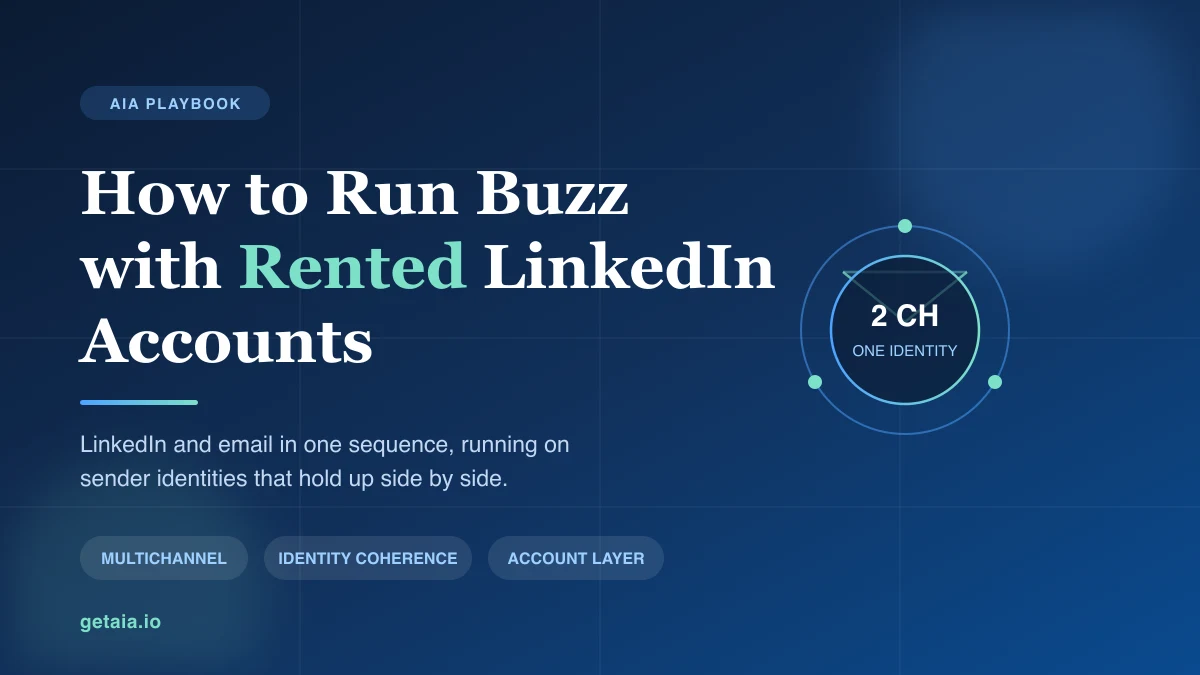
On our Buzz integration page we describe it as an all-in-one sales engagement platform that combines LinkedIn, email and other channels in one workflow. That is accurate, and it is also the whole problem. A single-channel tool only has to make one identity look real. A multichannel tool touches the same prospect as a LinkedIn profile on Tuesday and as an email sender on Thursday, and the prospect compares them. If those two identities do not line up, the sequence does not just underperform, it actively tells the prospect something is wrong.
This guide covers what Buzz genuinely does well for a fleet, the identity coherence problem that only shows up in multichannel sending, and the order to set things up in so you find the problems before your prospects do.
Why Buzz Suits a Multi-Account Operation
Three properties make Buzz worth running on rented or avatar profiles.
Channels live in one sequence, not one per tool. The usual multichannel setup is a LinkedIn tool plus a cold email tool plus a spreadsheet to keep them from double-touching the same person. Buzz collapses that into a single workflow, which means the step logic actually knows what already happened. A prospect who replied on LinkedIn stops getting the email. That coordination is difficult to fake with two separate tools and a sync job.
Sequences are configured per sender. You can run a careful cadence on a new profile and a heavier one on an established profile inside the same campaign structure. For an agency, this is what lets a new client ramp without dragging the whole operation down to the slowest account’s limits.
Reporting is per channel and per sender. When results drop you can see whether LinkedIn accepts fell off or email replies did, and on which sender. That distinction matters because the two failure modes have completely different fixes, and without the split you end up rewriting copy when the real problem was an account going quiet.
None of that helps if the identity underneath is incoherent. That is the part worth spending real time on.
The Identity Coherence Problem
Here is the failure in concrete terms.
Your sequence sends a LinkedIn connection request from a profile named one thing, with a photo, a job title and a company. Three days later it sends an email from a mailbox on a different domain, signed with a different name, or with no name the prospect can match to the profile that just contacted them. A prospect who is paying attention now has two strangers claiming to be the same outreach, which reads as either a mistake or a scam. Reply rates do not degrade gracefully here. They collapse, and the sender gets reported.
Single-channel sending hides this. You can run a LinkedIn-only campaign on a thin identity for a long time because nobody has a second data point to check it against. Add the second channel and every inconsistency becomes visible at once.
So before the first multichannel step fires, these three things have to agree:
- The name on the LinkedIn profile and the name on the mailbox. Identical, not similar.
- The company on the profile and the sending domain. A profile claiming one employer and an email arriving from an unrelated domain is the single most common tell.
- The seniority on the profile and the ask in the email. A junior title making a decision-maker ask does not survive the comparison.
This is why the account layer matters more for Buzz than for a LinkedIn-only tool. A profile that only has to look plausible in a connection request is a lower bar than a profile that has to hold up against a matching mailbox and a prospect who is now actively comparing them.
Settle the Account Layer First
Buzz needs senders. Where those senders come from determines everything above.
Running the sequence from your own profile and your own mailbox solves coherence trivially, and caps you at one sender. That is the tradeoff nobody states plainly: perfect identity consistency with no ability to scale. The moment you want ten senders you need ten coherent identities, and personal profiles do not multiply.
This is the gap our LinkedIn avatar accounts are built to fill. Each profile is a complete, warmed identity rather than a credential, which is what makes it safe to point a multichannel sequence at. Two tiers are worth distinguishing for Buzz specifically:
- ID-verified LinkedIn accounts are backed by real, ID-verified people. When a sequence has to hold up under comparison across two channels, the highest trust tier is the one to use.
- Proprietary AI LinkedIn profiles are built on our own technology and deploy fastest, which suits adding sender capacity to a campaign structure that already works.
Proxies are the other half of multi-account safety, and you bring your own. If you want the detail on why the type of IP matters as much as its uniqueness, we covered that in residential versus datacenter proxies for LinkedIn. Plans start at $97 per profile per month, and the full breakdown is on the pricing page.
Setup Order That Catches Problems Early
The sequence of operations matters, because each step exposes a different failure.
First, provision the profiles and let them settle. Do not point a sequence at an account on day one. If you are starting from a genuinely new profile rather than a pre-warmed one, our guide on warming up a new LinkedIn account for outreach covers the ramp.
Second, connect the mailbox that matches each profile. Not a shared team mailbox. One mailbox per sender identity, with the name and domain aligned to that profile as described above. Doing this second means you catch mismatches while the sequence is still off.
Third, build the sequence single-channel and run it. LinkedIn only. Confirm accepts and replies look normal on every sender before you let email into the workflow. This is the step teams skip, and it is the one that isolates account health from copy quality. If a profile is not performing on one channel, adding a second does not rescue it.
Fourth, add the email steps and watch the per-sender split. You are specifically looking for a sender whose LinkedIn numbers held but whose email replies came in far below the others. That pattern is almost always a coherence problem on that identity, not a copy problem in the sequence.
Fifth, scale by adding senders, not by raising limits. The temptation once a campaign works is to push more volume through the accounts you have. That is how healthy profiles get restricted. Add capacity horizontally instead. The arithmetic of that approach, and where it stops making sense, is in scaling LinkedIn outreach across 50 to 100 sender accounts.
What Buzz Cannot Fix
Worth being direct about the boundary.
Buzz coordinates channels, enforces step logic, and reports on what happened. It does not make a sender trustworthy. If the identity is thin, multichannel sending surfaces that faster than single-channel sending would, because you have handed the prospect a second data point to check the first one against.
That is genuinely a feature if you have done the identity work, and genuinely a liability if you have not. A good multichannel tool running on a coherent account layer compounds. The same tool running on mismatched identities just distributes the problem across more channels.
Settle the account layer, align the mailboxes to the profiles, prove one channel before adding the second, and Buzz does the job you bought it for. If you want help sizing the sender fleet for a multichannel sequence, book a demo and we will work through the numbers with you.