Onboarding a New Client onto LinkedIn Outreach: A First-Month Playbook for Agencies
The first month decides whether a LinkedIn outreach client renews. What to collect before kickoff, how to size sender profiles, a week-by-week ramp, and honest reporting.
Most agencies lose LinkedIn outreach clients in month three, but the damage is done in month one. The client signed because a sales call made pipeline sound close. Then the first two weeks went on chasing logins, the first campaign launched at full volume on profiles nobody had briefed, and the first report showed a lot of connection requests and very few conversations. By the time results start to compound, the client has already decided the channel does not work for them.
A good first month looks slower from the outside and is much faster in practice. The agency collects everything it needs before kickoff, sizes the sending capacity against the client’s actual market, ramps volume on purpose, and reports on the things that predict meetings rather than the things that are easy to count.
This playbook covers that month: what to collect, how to choose and brief sender profiles, a week-by-week ramp, how to handle replies and handover, and how to talk about platform risk without either hiding it or scaring the client off.
Before Kickoff: Collect Everything in One Pass
The most common cause of a slow start is a drip of questions. Every “quick question” email to the client costs a day. Send one onboarding form and do not launch until it is complete.
What it should cover:
- The ICP in plain terms. Industries, company size, geographies, and the job titles that sign, influence and use. Ask for three to five real company names the client would love to win, so you can sanity check your search filters against them.
- Exclusions. Existing customers, open opportunities, partners, competitors, former employees, and any accounts that sales already owns. This becomes your suppression list, and it is the single thing that most protects the relationship. Messaging a client’s biggest customer as if they were a stranger is the kind of mistake that ends a contract in week two.
- Claims the client can back up. Case studies they are allowed to mention, numbers they are willing to stand behind, certifications they actually hold, and the things they do not want said. If it is not on this list, no sender says it.
- Who owns replies. Whether the agency books meetings directly, qualifies and passes over, or hands every positive reply to a named person at the client. Get the calendar link and the name of that person before launch.
- Where data lands. The client’s CRM, a shared sheet, or your own reporting. Agree on what counts as a positive reply and a meeting now, not when the first report is due.
If the client cannot answer these, that is useful information. A client who cannot name their ICP or their exclusions is not ready for outreach, and launching anyway mostly produces evidence that “LinkedIn does not work”.
Decide Whose Profiles Do the Sending
There are two models, and many agencies run both.
The client’s own team profiles. The founder or sales team send from their real LinkedIn. This carries the most personal credibility, but you depend on people who are busy, you inherit whatever state their accounts are in, and every restriction lands on someone the client cares about.
Profiles the agency controls on the client’s behalf. Sending identities that are briefed to represent the client, run on the agency’s schedule, and can be added or replaced without asking anyone to hand over their personal login. This is where AIA avatar accounts fit: they arrive pre-aged and warmed up, and on every tier you can specify the prior and present job and edit the headline and about section, so each profile reads as a natural fit for the persona it messages.
A common split is to keep the founder’s profile for a small number of high-value conversations and warm introductions, and move the volume work, which is first touches and early follow-ups across the wider ICP, onto agency-controlled profiles. The founder stays the person prospects meet. The profiles create the openings.
Whichever model you choose, write the honesty line into the brief. The company is real, the offer is real, every claim comes from the client’s approved list, and anyone who engages seriously is introduced to a named person at the client. Sending identities give you reach. They do not give you licence to overstate anything.
Size the Capacity Against the Market, Not the Retainer
Agencies often size sending capacity by what fits the retainer. Size it by the market instead, then price the retainer to match.
The arithmetic is simple enough to show the client. We recommend no more than 20 connection requests per day per profile. Over a five-day sending week, that is around 100 first touches per profile per week, or roughly 400 a month. If the client’s ICP holds a few thousand decision makers and you want to reach all of them once in a quarter, you can work out how many profiles that takes in a minute on a whiteboard. Doing that in the kickoff call also resets expectations: the client sees why one profile cannot “cover the market” in a month.
Then split profiles into lanes. One lane per persona is the usual starting point: a commercial voice for the economic buyer, an operator’s voice for the people who live with the problem, a technical voice where a technical evaluator exists. If the client sells in two regions or two verticals, those can be lanes too. Each lane gets its own briefed profile so the headline, background and message stay consistent with each other.
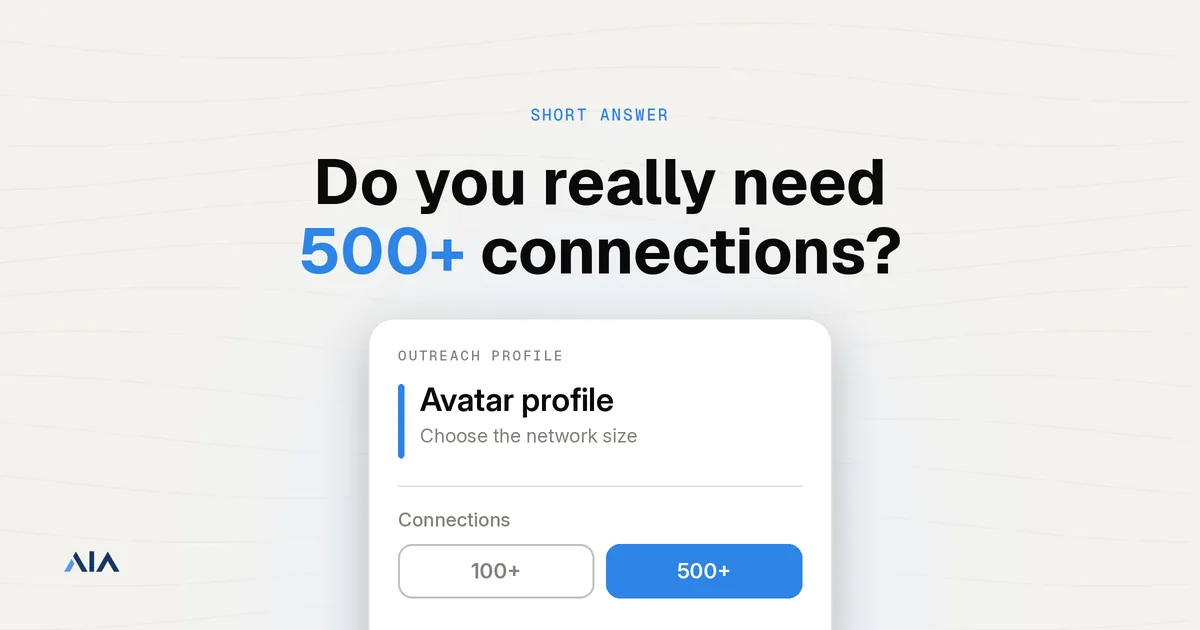
Tier choice follows the lane. From the AIA pricing page: Silver is $97 per profile per month for a proprietary profile with 100+ connections, Gold is $147 for a real-person profile with an ID-backed or ID-verified badge, Platinum is $177 for a proprietary profile with 500+ connections, and Titanium is $197 for an ID-verified real-person profile with 500+ connections. Lanes that message senior or trust-sensitive buyers usually justify the ID-verified tiers. Volume discounts apply at ten, fifty and a hundred profiles, there are no contracts, and agencies can ask about agency pricing when they run profiles across several clients.
Week One: Set Up, Brief, Do Not Send
Week one is setup, and it should look boring.
- Order and brief the profiles. For each lane, write the headline, about section and job history you want, consistent with the persona and the client’s industry. Keep the client’s company, offer and claims identical across lanes. Only the voice changes.
- Connect the automation tool. Every AIA LinkedIn plan includes free setup with your automation tool. Use a tool that accepts a custom proxy per account and attach each profile to its own stable IP through your own proxy setup. Our integrations page lists which tools work this way.
- Load the suppression list into every campaign before anything else, and make it shared across every profile on the account. Two of your profiles messaging the same prospect in the same week is avoidable and very visible.
- Build and check the lists. Run the searches, then spot check them against the dream accounts the client named. If those companies are missing, your filters are wrong.
- Get messaging signed off. Two opening angles per lane, a short follow-up, and a reply guide for the common answers. The client approves the words once, in writing.
Week Two: A Soft Start
Start each profile well below its eventual daily volume and build up over the week. A new sender that goes from silence to its full allowance on day one looks like software, whatever its history.
Use the soft start to learn, not to impress. Run the two opening angles side by side in each lane and read every reply yourself. The early signal you want is qualitative: are people answering the question you asked, are they the right people, and are the objections the ones you expected? A connection note that gets accepted but never answered is telling you something about the message. A note that gets answered by the wrong job title is telling you something about the list.
Do not pitch on acceptance. A short, specific first message that is about the prospect and ends with one easy question keeps the thread alive. The pitch comes when there is a conversation to put it in.
Week Three: Fix the List Before the Copy
By week three most agencies want to rewrite the messages. Look at the list first.
If replies are polite but irrelevant, the targeting is off: wrong seniority, wrong company size, a vertical that does not have the problem. Tighten the filters and check again against the dream accounts. If the right people reply but with the same objection, that is a messaging problem, and the reply guide needs a better answer. If almost nobody accepts, look at the profile itself, the persona match and the note before you touch volume.
This is also the week to bring volume up to its planned level on the lanes that are working, and to hold it back on the ones that are not. More volume on a broken lane just uses up the market faster.
Week Four: Report What Predicts Meetings
The first report sets the tone for the whole engagement. Keep it short and honest.
Report the funnel in order: profiles live, first touches sent, connections accepted, conversations started, positive replies, meetings booked. Then add what you learned in plain sentences: which lane and angle is working, which objection keeps coming up, what you changed in week three and why. Clients forgive a modest first month when they can see the agency understands their market better than it did four weeks ago. They do not forgive a report full of activity and no explanation.
End with the month-two plan: which lanes scale, which get rebuilt, and whether the capacity matches the market now that you know the real reply patterns.
Replies and Handover
Positive replies go cold quickly. Decide in onboarding who answers them and how fast, and make sure someone checks every profile’s inbox at least daily. If the agency books meetings, send the client a short context note with each one: who the person is, what they replied to, and what they asked. If the client takes over the conversation, introduce the named person in the thread so the prospect knows exactly who they are now talking to.
Talk About Platform Risk in the Kickoff
LinkedIn restricts accounts that behave like software, whatever tool runs them and wherever the profile came from. No provider can promise that a profile will never be restricted, and an agency that implies otherwise is setting up an awkward conversation later.
Say it plainly in the kickoff, then explain what reduces the exposure: conservative daily limits, a slow ramp, pre-aged profiles, one stable IP per account through your own proxy setup, and messages that read like a person wrote them. Then explain what contains it when it happens anyway: enough profiles that losing one does not stop a lane, and a replacement path for the profile. Clients take this far better at kickoff than in the middle of month two.
Where This Playbook Does Not Fit
Some clients should not start on LinkedIn at all. If the buyers barely use it, such as some trades, field roles or owner-run local businesses, no ramp will fix that. Say so before you take the retainer.
Very small markets need a different shape too. If the client’s whole ICP is a couple of hundred accounts, a structured ramp across several lanes will exhaust the market in weeks. Fewer profiles, slower cadence and more personal work from the founder’s own profile usually fit better.
And if the client cannot supply exclusions, approved claims or someone to take meetings, delay the launch. A month spent sending on an incomplete brief costs more goodwill than a week spent finishing it.
Getting Started
Send the onboarding form before the kickoff call, size the capacity against the client’s market in the call itself, and spend week one on setup rather than sending. Our setup guide walks through connecting profiles to your automation tool from zero.
Want help sizing profiles for a new client? Message us on WhatsApp at wa.me/37256084933 with the client’s ICP, personas and regions, and we will suggest how many profiles and which tiers fit.
Onboarding a new client this month? Visit app.getaia.io to order profiles, or start with the AIA pricing page to plan each lane.