LinkedIn Avatar Accounts: What They Are and Why Outreach Teams Rent Them to Scale Safely
A clear guide to LinkedIn avatar accounts: what they are, how they differ from aged accounts you buy, how the proxy and IP layer works, and how outreach teams use them to run many senders without campaigns going dark.
If you run cold outreach on LinkedIn, you already know the real bottleneck is not the copy or the tool. It is supply of healthy sending accounts. You can only push one profile so hard before LinkedIn slows it down or restricts it, so scaling means running many accounts at once. The question is where those accounts come from and whether they hold up. That is the problem LinkedIn avatar accounts exist to solve, and this guide explains exactly what they are, how they differ from the aged accounts people buy off marketplaces, and how outreach teams use them to grow without their campaigns going dark.
What Is a LinkedIn Avatar Account?
A LinkedIn avatar account is a managed, ready to use LinkedIn profile that you rent rather than build or buy outright. Instead of creating a profile from scratch and spending weeks warming it, or buying a random aged login and hoping it survives, you rent an avatar that already looks and behaves like an established professional and comes with the infrastructure it needs to send safely.
The word avatar matters here. These are not throwaway profiles spun up in bulk with stolen photos. A well built avatar account has a coherent identity, a real history of connections, and its own dedicated network access, so it can act like a normal LinkedIn member from the first day you use it. You point your outreach tool at it and it sends, without the long manual warm up a brand new profile would need.
The key difference from a profile you buy is ownership and support. When you buy an aged account, you get a login and you are on your own. When you rent an avatar, you get a managed account with support behind it, which means when something goes wrong there is a process to fix it instead of a dead listing and a refund request. You can see how this managed model is built on the why AIA avatars page.
Avatar Accounts vs Aged Accounts You Buy
Most people who look for extra LinkedIn accounts start by searching for aged accounts or accounts for sale. It is worth being clear about why avatar accounts are a different category.
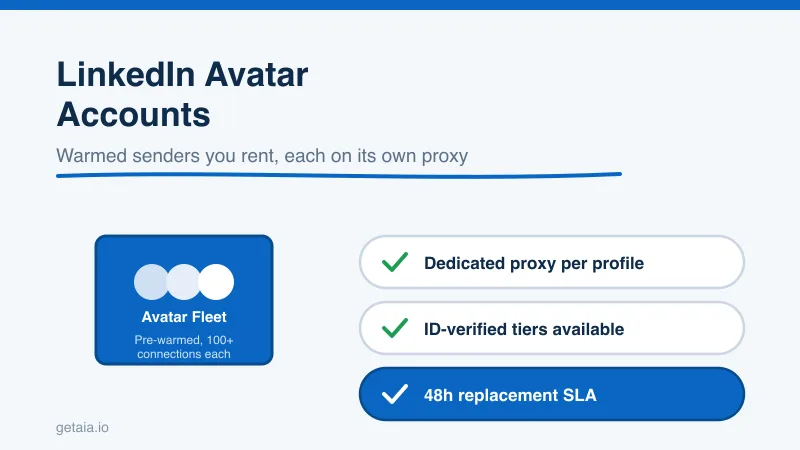
- Warm up. A bought account may be old, but old does not mean ready. It still needs a real network and safe activity before you can send at volume. Avatar accounts come pre-warmed with 100 or more real connections, so they can send inside safe daily limits from day one instead of after weeks of hand warming.
- Network access. Bought logins usually leave you to sort out proxies yourself, and if two accounts sign in from the same IP LinkedIn can link and restrict them together. Avatar accounts are built to run behind one proxy you assign per profile, so every profile signs in from its own stable IP and stays cleanly separated.
- Replacement. When a bought account gets restricted, it is gone and your money with it. Avatar accounts carry a 48-hour replacement SLA, so a restriction becomes a quick swap instead of a dead campaign.
- Verification. Marketplace listings rarely offer a genuine identity badge. Avatar accounts are available in ID-verified tiers, which carry a real verification badge that lifts trust and reply rates on cold outreach.
If you want the full head to head on this specific question, we wrote a dedicated comparison of avatars versus aged accounts. The short version is that aged accounts sell you a starting point, while avatar accounts sell you a working sender plus the infrastructure and support to keep it working.
Why Dedicated Proxies Are the Whole Game
The single most common reason outreach fleets collapse is shared network access. LinkedIn pays close attention to where an account signs in from. If several of your accounts share one IP, or rotate through a pool that other people also use, LinkedIn can cluster them and restrict the whole group at once. That is why the outreach tools built for running many accounts, such as Expandi, HeyReach, Skylead, We-Connect, Buzz, and LinkedIn Automation Agency (LIA), all let each account sign in from its own custom proxy.
This is also why some popular tools do not fit a serious fleet. Dripify, Waalaxy, Zopto, Dux-Soup, and Ulinc do not support custom proxies, so they route your accounts through shared or fixed infrastructure that does not hold up once you run more than a couple of profiles. If you are choosing a tool, that single feature matters more than any dashboard.
Avatar accounts make the proxy problem tractable. Because each avatar is warmed as one stable identity rather than a disposable login, you assign it a single proxy and keep that pairing fixed, instead of rotating a pile of bought credentials across shifting IPs. The AIA integrations page shows how avatar accounts connect to the proxy-friendly outreach tools listed above.
How Outreach Teams Actually Use Avatar Accounts
Here is the pattern that scales. You keep one or two sourcing profiles on LinkedIn Sales Navigator to build targeted prospect lists by title, industry, company size, and geography. Then you run a fleet of avatar accounts as your senders, each one warmed, each one on its own proxy, each connected to a proxy-friendly outreach tool that sends inside safe daily limits.
When you have one client or one campaign, a couple of profiles is fine. The moment you run several campaigns at once, you need dozens of separate, healthy senders, each isolated from the others and each replaceable when LinkedIn restricts it. Trying to build that by hand is where teams drown. Renting avatar accounts turns that scramble into a line item: you decide how many senders each campaign gets, point your tool at them, and the supply underneath stays healthy as you grow.
This is not theory. A top-100 US agency, running as an AIA client, ran 185 avatars and generated more than 500 SQLs and $2.3M in net-new revenue in under 90 days. That output does not come from a handful of hand-warmed profiles. It comes from a large, healthy, replaceable fleet feeding proxy-friendly outreach tools.
What Avatar Accounts Cost
The reason a managed fleet is easier to plan around than a pile of bought logins is that the price is a flat, predictable figure per profile. AIA prices each avatar as a monthly rate:
- Gold at $147 per profile per month, ID verified
- Titanium at $197 per profile per month, ID verified
- Silver at $97 per profile per month
- Platinum at $177 per profile per month
Volume discounts of 10, 20, and 30 percent kick in at 10, 50, and 100 or more avatars, so your cost per seat drops exactly as you scale. There are pre-warmed email avatars at $11 per domain if you want to pair LinkedIn with cold email for multi-channel sequences. You can see the full breakdown on the AIA pricing page.
Run the math on a small fleet. Say you run 20 senders on the Silver tier with the 20 percent volume discount. That is $97 times 0.80 times 20, which is $1,552 per month for twenty warmed accounts with dedicated proxies and replacements included. Compared with the hours you would spend warming and babysitting twenty bought profiles, and the campaigns you would lose every time one died, that is a predictable cost for a predictable result.
When to Choose ID-Verified Avatars
Trust signals move reply rates, and reply rates are the number you actually watch. A profile carrying a genuine verification badge gets more requests accepted and more messages answered than an unverified one. The ID-verified tiers, Gold and Titanium, build that badge into the account itself, so your highest-value campaigns lead with credibility. Because the accounts are managed, any replacement comes verified too, so a restriction never costs you the trust badge you paid for.
If you sell into senior or skeptical buyers, lead with ID-verified avatars. If you are running higher-volume top-of-funnel outreach where a standard sender is enough, the Silver and Platinum tiers keep your cost per seat lower. Most teams run a mix.
The Honest Note on Platform Risk
No account model removes platform risk, and you should be wary of anyone who claims otherwise. LinkedIn actively works to detect automation and will restrict accounts that push too hard, no matter whose accounts or tools you use. Avatar accounts do not make you invisible. What they do is reduce the risk with careful daily limits, warm accounts, a dedicated proxy per profile, and ID verification on your top senders, and then contain the risk when a restriction still happens through the 48-hour replacement SLA. Mitigation plus containment is what lets you make outreach commitments you can actually keep.
Getting Started
If you are weighing LinkedIn avatar accounts, sequence it like this. Decide how many senders your current campaigns need, choose a proxy-friendly outreach tool, and rent a fleet of warmed avatars to feed it, leaning on ID-verified tiers for your highest-trust campaigns. The setup guide walks you from zero to a running fleet, and the homepage at getaia.io shows how the whole account layer fits together.
Not sure how many standard or ID-verified profiles fit your outreach volume? Message us on WhatsApp at wa.me/37256084933 and we will size it with you.
Ready to put your outreach on avatar accounts that actually hold up? Visit app.getaia.io to place your order, or start with the AIA pricing page to size your fleet and lock in volume discounts.



