The Best Dux-Soup Alternatives for Running Rented and Avatar LinkedIn Accounts at Scale in 2026
Outgrowing Dux-Soup once you run more than one profile? Here are the LinkedIn automation tools that support custom proxies, work with rented and avatar accounts, and the account layer that makes them safe to scale.
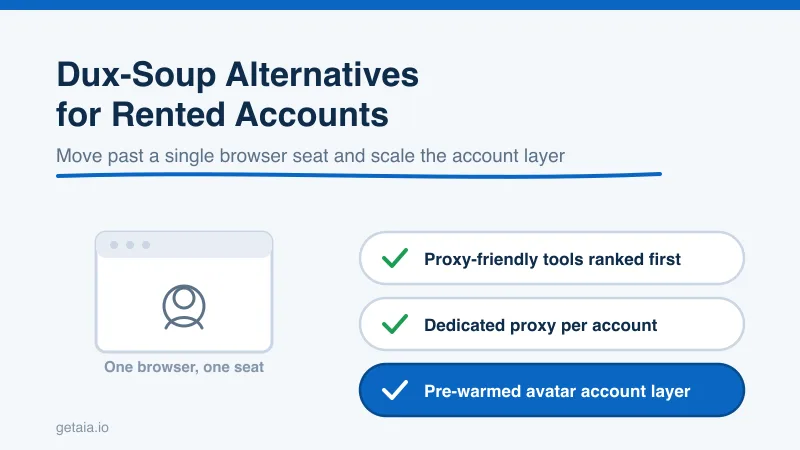
Dux-Soup was one of the first LinkedIn automation tools most sales teams ever touched. It is cheap, it installs in minutes, and it does exactly what a single user needs: visit profiles, send connection requests, and drip follow-ups from the account you are already logged into. For one person running one profile, that is often enough. The problem starts the moment your outreach needs to live across many sending accounts, especially rented, aged, or avatar accounts. At that point the very thing that makes Dux-Soup simple becomes the thing that holds you back.
This guide walks through why teams outgrow Dux-Soup, what actually matters when you pick a replacement, and which tools hold up when your outreach runs across a fleet of accounts instead of one. Every option here is judged on the question that matters more than any feature checklist: can it safely run the account layer you plan to scale on.
Why Teams Look For a Dux-Soup Alternative
Two limits push teams to switch, and both come from the same root cause.
The first is architecture. Dux-Soup is built as a browser extension. It runs inside the Chrome session you are signed into, which means your automation is tied to one logged-in profile on one machine using one IP address. That is fine for a single operator. It becomes a wall the moment you want ten or fifty separate sending identities, because a browser extension was never designed to manage a fleet of distinct accounts, each needing its own network fingerprint. The Turbo and Cloud plans move some of that work off your desktop, but you are still fundamentally working within a per-seat, per-browser model.
The second is the proxy problem, and this is the one that quietly gets accounts restricted. To run multiple LinkedIn accounts safely, each account needs to look like a separate real person in a consistent location. That means a dedicated proxy per account, so every profile keeps its own stable IP. Dux-Soup does not give you clean per-account custom proxy control, so if you point it at several rented or avatar accounts, they end up sharing your local network footprint or bouncing between IPs. LinkedIn is very good at spotting that pattern, and shared or shifting IPs across accounts is one of the fastest ways to get flagged.
So the real question is not just “what is a better Dux-Soup.” It is “what tool lets me run many accounts, each on its own dedicated proxy, without inviting restrictions.”
What To Look For In A Replacement
Before the list, here is the checklist that separates a tool you can scale on from one you will outgrow again in three months:
- Custom proxy support per account. Non-negotiable for running rented or avatar accounts. Each profile needs its own dedicated IP.
- Cloud based sending. Your campaigns should run without a browser tab open on your laptop, so accounts send on a natural schedule around the clock.
- Multi-account management. A single dashboard built to run many senders, not one seat cloned many times.
- Safe, configurable limits. Per-account daily caps that mimic human behavior instead of blasting volume.
- Multi-channel reach. The strongest tools pair LinkedIn with email so one identity works more than one channel.
Judge every alternative below against that list, not against how many features it advertises.
The Best Dux-Soup Alternatives For Scaling Outreach
These are ranked by how well they run a fleet of separate accounts on their own proxies, which is the whole point of moving past Dux-Soup.
1. Expandi
Expandi is cloud based, gives each account its own dedicated proxy and country location, and was built from the start for agencies and teams running many profiles. Smart limits and warm-up sequences keep sending inside safe daily ranges. If your reason for leaving Dux-Soup is that you need many accounts each on a clean IP, Expandi is the most direct upgrade.
2. HeyReach
HeyReach is purpose built for agencies and teams running LinkedIn outreach at volume. It handles many accounts under one roof, supports proxy assignment per account, and lets you pool inboxes so a whole team can work replies together. If your plan is to run dozens of senders, HeyReach is designed for exactly that shape of work.
3. Skylead
Skylead runs smart sequences that combine LinkedIn touches with email in a single flow, so one identity works more than one channel. It is cloud based and supports the per-account setup you need to run multiple profiles safely. For teams that want multi-channel from one seat, Skylead earns its place.
4. We-Connect
We-Connect is a cloud platform with solid multi-account support and safety controls, aimed at teams that want reliable sending without babysitting a browser. It is a steady, sensible step up from an extension based tool.
5. Buzz and LinkedIn Automation Assistants
Buzz and similar assistant style tools round out the proxy-friendly options. They support cloud sending and per-account configuration, and pair well with a managed account layer underneath them.
A quick honest note on the tools that fall short on custom proxy support. Alongside Dux-Soup, that group includes Dripify, Waalaxy, Zopto, and Ulinc. They can be fine on a single account you own, but they are not built to run a fleet of separate identities each on its own proxy. Force several rented accounts through a tool with no per-account proxy control and you are inviting the exact restrictions you are trying to avoid. For a fuller breakdown of which tools pass and which fail on this test, see our guide to LinkedIn automation tools that work with rented and avatar accounts.
The Half Of The Stack Nobody Sells You: The Account Layer
Here is the piece switching tools alone will not solve. Moving from Dux-Soup to a proxy-friendly tool like Expandi or HeyReach is only half the stack. The other half is the accounts you run through it. A great cloud tool pointed at one profile still hits the same weekly ceiling as before. To actually scale, you need a supply of healthy, warmed, separate sending accounts, each with its own proxy, feeding your tool of choice.
That is the layer AIA avatars provide. Instead of buying disposable credentials or spending weeks warming new profiles by hand, you rent a managed account layer that plugs into the automation tool you already picked. Each avatar arrives pre-warmed with 100 or more connections and is ready to run inside safe limits from day one. When a profile does get restricted, and across a large fleet some always will, the 48-hour replacement SLA swaps it out so your campaigns keep moving.
On pricing, the tiers are transparent and monthly rather than a one-time gamble:
- Gold at $147 per profile per month, ID verified
- Titanium at $197 per profile per month, ID verified
- Silver at $97 per profile per month
- Platinum at $177 per profile per month
Volume discounts of 10, 20, and 30 percent kick in at 10, 50, and 100 or more avatars, so the account layer gets cheaper as you scale rather than more expensive. There are also pre-warmed email avatars at $11 per domain if you want to run the multi-channel sequences that tools like Skylead support. You can see the full breakdown on the AIA pricing page.
Why ID Verification Matters On Cold Outreach
When you are sending to people who have never heard of you, trust signals move reply rates. A profile carrying a genuine verification badge simply gets more requests accepted and more messages answered than an unverified one. The ID-verified tiers, Gold and Titanium, build that badge into the account layer itself, so your highest-value senders lead with credibility. Because the accounts are managed rather than resold credentials, that verification is part of the infrastructure you rent, and if a profile is ever replaced, the replacement comes verified too.
What Scaling This Way Actually Looks Like
Here is the practical picture. Say you switch from Dux-Soup to HeyReach and want to run 100 sending accounts through it.
Run 100 AIA avatars on the Silver tier with the 30 percent volume discount and it is $97 times 0.70 times 100, which is $6,790 per month, with dedicated proxies and replacements included. The accounts arrive pre-warmed, so you skip the weeks of manual warming a fresh profile still needs before it can safely send. Your tool handles the campaigns, and the account layer keeps a steady supply of healthy senders underneath it.
This is not theory. A top-100 US agency, running as an AIA client, ran 185 avatars and generated more than 500 SQLs and $2.3M in net-new revenue in under 90 days. That output does not come from one Dux-Soup seat in a browser tab. It comes from a large, healthy, replaceable fleet feeding a proxy-friendly outreach tool.
The Honest Note On Platform Risk
No tool and no account model removes platform risk. LinkedIn actively works to detect automation and will restrict accounts that push too hard, whether you run Dux-Soup, Expandi, or anything else. Anyone promising unbannable accounts is not being straight with you. What reduces the risk is careful daily limits, warm accounts, a dedicated proxy per profile, and ID verification on your top senders. What contains the risk when a restriction still happens is the 48-hour replacement SLA. Switching tools helps with the proxy problem, but only a managed account layer gives you both the mitigation and the containment.
Getting Started
If you are shopping for a Dux-Soup alternative, start by picking a tool that supports custom proxies, then give it an account layer built to scale. The AIA integrations page shows how avatar accounts connect to Expandi, HeyReach, and the other proxy-friendly tools above, and the setup guide walks you from zero to a running fleet.
Want a fast recommendation on which tool and how many standard or ID-verified profiles fit your team? Message us on WhatsApp at wa.me/37256084933 and we will size it with you. You can also start from the homepage at getaia.io to see how the whole account layer fits together.
Ready to move past a single browser seat and actually scale? Visit app.getaia.io to place your order, or start with the AIA pricing page to size your fleet and lock in volume discounts before you commit.



