LinkedIn Account Restricted: What to Do When Outreach Stops and How to Recover Fast
LinkedIn restricted your outreach account. Here is what to do right now, how the appeal process works, and how to keep your program running while you wait.
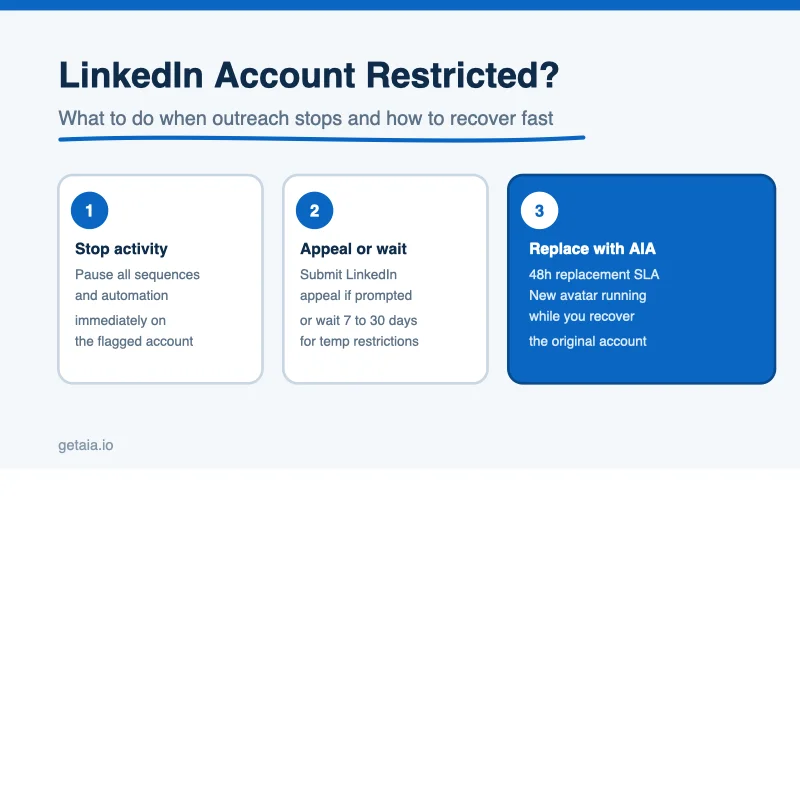
You woke up, opened LinkedIn, and your account is restricted. Your sequences are dead. Replies are not going out. Prospects you spent three weeks warming are sitting in limbo. Every hour the restriction holds is pipeline you are not building.
This guide covers what to do right now, how the LinkedIn appeal process actually works, and how to structure your outreach program so a single account restriction never kills your momentum again.
What LinkedIn Account Restriction Actually Means
LinkedIn uses the word “restriction” to describe several different states, and they are not all equal.
A temporary activity restriction usually means LinkedIn detected behavior it flagged as unusual: too many connection requests in a short window, a spike in InMail volume, logins from a new device or location, or a security verification it could not complete. These often resolve on their own within 24 to 72 hours, especially if you stop the activity that triggered it.
A full account restriction means your profile is not visible, you cannot message or connect, and you may see a prompt to verify your identity or appeal. This is more serious and can last days to weeks without action.
A permanent ban is rare for an otherwise warm, established account, but it does happen when LinkedIn believes the account has systematically violated its terms. Recovery from a permanent ban is very unlikely.
The practical difference matters because your response should be different in each case.
Step One: Stop Everything Immediately
The single most damaging thing you can do when an account is flagged is keep running activity through it. Automation tools do not always know an account is restricted. If your sequence is still firing connection requests or messages through a restricted account, LinkedIn interprets that as continued bad behavior on top of whatever triggered the flag.
Log in directly through your browser. Pause every active sequence. Disconnect or pause the automation tool for that specific account. Do not log in from any unusual device, VPN endpoint, or IP that you would not normally use for that account. If you use a proxy for this account, keep using the same proxy you have always used. Do not switch it.
Do this before you do anything else.
Step Two: Understand What LinkedIn Is Telling You
After you stop activity, read what LinkedIn is actually showing you. The error message or restriction notice matters.
If LinkedIn is asking you to verify your identity with a phone number, do it. This is the fastest path out of a temporary restriction and has no meaningful downside for a real account.
If LinkedIn is asking you to verify your identity with a government-issued ID, this is a harder gate. For accounts that are genuinely yours, complete it. For managed accounts where you do not have access to the identity documents behind the profile, this is where the restriction may become a write-off and your energy is better spent on replacement.
If there is no clear prompt and the account is simply invisible or inactive, you are likely in a temporary hold. Wait 48 to 72 hours before trying anything.
Step Three: Use the Appeal Process If It Is Available
LinkedIn offers an appeal option for many types of restrictions, accessible from the restriction notice itself or from the LinkedIn Help Center. When you appeal, keep the message short and factual. Do not over-explain. State that you are a professional using the account for legitimate outreach and that you believe the restriction was triggered by activity that did not violate LinkedIn’s terms.
Do not:
- Threaten to cancel a premium subscription
- Send multiple appeals for the same restriction
- Use the appeal form to push back on LinkedIn’s policies in general
The appeal review takes anywhere from two business days to two weeks. There is no way to expedite it. If the restriction is temporary, the account often comes back on its own before the appeal is even reviewed.
Step Four: Assess Whether the Account Is Worth Recovering
This is the calculation most guides skip. Your time has a cost. LinkedIn support has a queue. The realistic question is whether the restricted account is worth the recovery effort compared to simply moving on.
An account worth fighting for:
- Has a strong connection network you built over months or years
- Is associated with a genuine identity and recoverable ID documents
- Has active conversations you cannot easily restart with a new account
An account that is probably not worth the time:
- Is rented or managed and you do not have the identity documents
- Was restricted in the first three or four weeks of use (the warm-up phase is risky)
- Is one of many in a fleet and your program can absorb the loss
If the account falls in the second category, cut the time investment. Redirect your energy toward replacement.
Step Five: Keep Your Program Running While You Wait
Here is where most outreach programs make a structural error. They build their entire program around a small number of accounts, so when one goes down the whole pipeline stalls.
If you are running a serious LinkedIn outreach program, the right model is a fleet. Multiple identities running in parallel, each with its own daily limits, so that a single restriction is a rounding error, not a program-ending event.
AIA avatars are purpose-built for this model. Each avatar is a pre-warmed identity with 100 or more real connections and an activity history that reads as a real professional. You do not take over someone else’s account. You start with a clean identity designed for the outreach you plan to run.
When an AIA avatar hits a restriction, you have a 48-hour replacement SLA. The replacement identity is provisioned, warmed, and handed off within two business days. Your program keeps moving while the original account is in recovery.
Tiers are available at multiple price points: Gold at $147 with ID verification, Titanium at $197 with ID verification, Silver at $97 per month, and Platinum at $177. If your use case requires profiles that carry LinkedIn’s verification badge, the Gold and Titanium tiers are ID verified LinkedIn accounts built for exactly that. Volume discounts apply at 10, 50, and 100 or more avatars: 10 percent, 20 percent, and 30 percent respectively.
You can see the full tier breakdown at getaia.io/aia-pricing/.
The Structural Fix: Build for Redundancy
A single account restriction exposing your whole program is a design problem, not a LinkedIn problem.
Think about how many connections and messages you need to run each week to hit your pipeline targets. Back that out into the number of LinkedIn identities required at sustainable daily limits, typically 25 to 50 connection requests per day and 50 to 100 messages per day per account. Add a buffer of 20 to 30 percent above that minimum so that any single restriction or rotation does not drop you below target volume.
That number is your minimum fleet size. Run at least that many, and build your sourcing around a provider that can replace a restricted identity within 48 hours.
Every automation tool in the market, from Expandi to HeyReach to Skylead to We-Connect to Buzz to LIA, runs on top of the accounts you feed it. A weak account layer makes every tool underperform. A fleet of warmed, properly proxied identities with a fast replacement guarantee multiplies the results of every sequence you run. If you want to understand how the account layer connects to the tools you are already using, the AIA integrations page walks through the compatible stack.
What About Platform Risk?
You should not trust any provider or guide that claims there is a restriction-proof way to run LinkedIn outreach at scale. Platform risk is real. LinkedIn’s trust model evolves, and behaviors that are fine today can become a trigger tomorrow.
What responsible outreach infrastructure does is reduce that risk through proper warm-up, consistent proxies, realistic daily limits, and a fast recovery path when restrictions do happen. The 48-hour replacement SLA is not a claim that restrictions never occur. It is a guarantee that your program does not stall when they do.
One AIA client, a top-100 US agency, ran 185 avatars as a coordinated outbound layer and generated over 500 qualified sales conversations and $2.3M in net-new revenue in under 90 days. That result requires infrastructure built for resilience, not a single high-volume account that becomes a single point of failure.
What to Do Next
If you are dealing with a restriction right now:
- Stop all automation on the affected account immediately.
- Read what LinkedIn is telling you and complete any verification it is asking for.
- Submit an appeal if the option is available and the account is worth recovering.
- Keep your program running on other identities while you wait.
- Use the downtime to assess whether your fleet is large enough to absorb restrictions as a normal operating condition.
If you are not dealing with a restriction right now but your program runs on one or two accounts, use this as the prompt to fix that before it becomes a problem.
You can get started at getaia.io/how-to-start-aia/ or message us directly on WhatsApp at wa.me/37256084933 to talk through what fleet size makes sense for your volume.



