The Best Linked Helper Alternatives for Running Rented and Avatar LinkedIn Accounts at Scale in 2026
Linked Helper is a capable desktop automation tool for a profile or two, but running it across a fleet of rented or avatar LinkedIn accounts means one machine and one proxy per seat. Here are the alternatives that scale cleanly, plus the account layer that keeps a fleet safe.
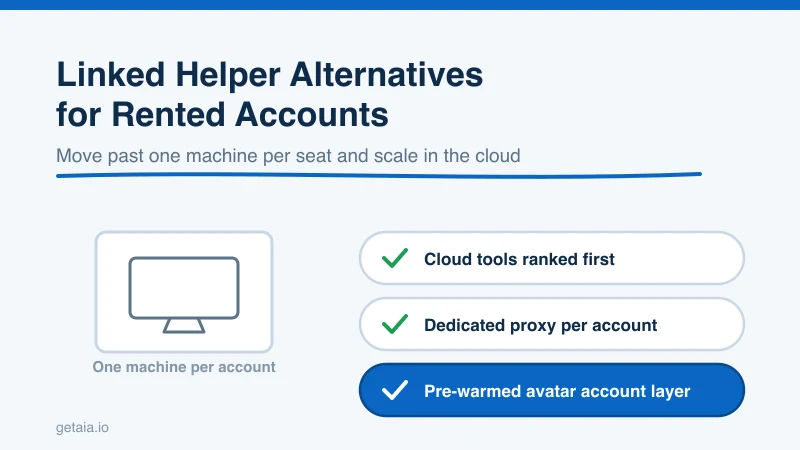
Linked Helper has a loyal following for good reason. It is a mature desktop tool, it is inexpensive per seat, and it gives you granular control over LinkedIn automation without an enterprise contract. If you run one or two profiles you own, from your own computer, it does a solid job. The trouble starts the moment your outreach needs to live across a fleet of rented, aged, or avatar accounts. The very thing that makes Linked Helper attractive on a single seat, that it runs locally as a desktop app tied to one machine, becomes the thing that gets in your way once you try to run fifty senders as one operation.
This guide walks through why teams outgrow Linked Helper, the checklist that actually matters when you replace it, and which tools hold up when your outreach runs across many sending identities instead of a couple. Every option here is judged on one question that beats any feature comparison: can it safely run the account layer you plan to scale on.
Why Teams Look For a Linked Helper Alternative
Linked Helper is built as a desktop application, which is exactly why it works on a small footprint and struggles once you grow. The limits tend to surface in three places.
The first is the one machine per account problem. Because Linked Helper runs on your local computer, each account it drives is tied to a session on that machine. Run a couple of profiles and that is fine. Try to run twenty and you are suddenly juggling multiple virtual machines or a stack of cloud desktops, each one hosting an instance, each one needing to stay online around the clock. What felt cheap per seat turns into a real infrastructure project the moment your account count climbs.
The second is the proxy problem, and this is the one that quietly gets accounts restricted. To run multiple LinkedIn accounts safely, each account needs to look like a separate real person in a consistent location. That means a dedicated proxy per account, so every profile keeps its own stable IP. Wiring a distinct proxy to a distinct desktop instance is possible, but it is fiddly and easy to get wrong, and any mismatch between where an account was warmed and where it now signs in is exactly the shifting footprint LinkedIn is best at flagging. Rented and avatar accounts need to sign in from that same consistent IP every time, so the tool driving them has to respect the proxy you assign rather than fight it.
The third is scale shape. Linked Helper treats every profile as its own local island, with no shared team inbox, no fleet-level safety controls, and no volume economics. When your account count is the thing that drives revenue, a tool that makes you babysit each seat separately quietly caps how far you can push.
So the real question is not just “what is a cheaper or simpler Linked Helper.” It is “what tool lets me run many rented or avatar accounts, each on its own dedicated proxy, managed as one fleet instead of a pile of disconnected desktops.”
What To Look For In A Replacement
Before the list, here is the checklist that separates a tool you can scale on from one you will outgrow again in a quarter:
- Cloud-based, not desktop-bound. You should not need a machine running per account. Look for a tool that runs your accounts in the cloud so seats do not depend on local uptime.
- Custom proxy support per account. Non-negotiable for running rented or avatar accounts. Each profile needs to sign in from its own dedicated IP, the one it was warmed on.
- Pricing that rewards scale. Look for volume breaks and workspace pricing, not a flat per-seat fee that only grows with your account count.
- Multi-account management. A single dashboard built to run many senders, not one desktop cloned many times.
- Safe, configurable limits. Per-account daily caps that mimic human behavior instead of blasting volume.
- Multi-channel reach. The strongest tools pair LinkedIn with email so one identity works more than one channel.
Judge every alternative below against that list, not against how cheap or flexible it looks on a single seat.
The Best Linked Helper Alternatives For Scaling Outreach
1. Expandi
Expandi is cloud based, supports a dedicated proxy per account, and is built around running many profiles with human-like limits. It is a strong default when you are moving off a desktop tool and want the seats to run without a machine babysitting each one.
2. HeyReach
HeyReach is designed specifically for agencies and teams running LinkedIn at scale. It leans into multi-account management, a unified inbox, and workspace pricing, which is exactly the shape you want when your account count is the growth lever.
3. Skylead
Skylead pairs LinkedIn and email in smart sequences, supports custom proxies, and runs in the cloud. If multi-channel reach matters to you, it covers more ground from a single identity than a LinkedIn-only desktop tool.
4. We-Connect
We-Connect is a cloud tool built for teams, with per-account controls and safe limits. It is a clean pick when you want straightforward multi-account outreach without a lot of setup overhead.
5. Dux-Soup and Browser Assistants
Dux-Soup and similar assistants are worth a look if you want tighter cost control and are comfortable with lighter automation. Just know that the closer a tool sits to a single browser or desktop session, the more of the fleet infrastructure lands back on you.
The Half Of The Stack Nobody Sells You: The Account Layer
Here is the part every tool comparison skips. The automation tool is only half the stack. The other half is the accounts themselves, and that is the half that decides whether your outreach survives at scale. You can pick the best cloud tool on the market and still watch profiles get restricted if the accounts underneath are freshly created, unwarmed, or sharing IPs.
This is exactly what AIA avatar accounts are built for. Instead of standing up a rack of desktop machines and hoping each proxy is wired correctly, you rent managed avatar accounts that come ready to work. If you want the full picture of why a managed account layer beats stitching together your own credentials and machines, the why AIA avatars page lays it out. Each avatar arrives pre-warmed with 100 or more real connections, so it can send inside safe daily limits from day one instead of after weeks of hand warming. Each one is a separate identity you attach to its own proxy, so every account signs in from its own stable IP and stays cleanly separated from every other account in your fleet. And when a profile does get restricted, the 48-hour replacement SLA swaps it out fast, so a campaign barely notices instead of going dark for two weeks.
Pair a cloud automation tool with an account layer like that and the whole one machine per seat problem disappears. Your tool drives the outreach, the avatar accounts supply the safe, proxy-ready identities, and neither one is fighting the other.
Why ID Verification Matters On Cold Outreach
LinkedIn has leaned harder into identity signals, and accounts that can clear verification simply hold up better under sustained outreach. AIA offers ID-verified LinkedIn accounts for exactly this reason. When you are sending real volume every day, the accounts that carry a verified identity give you a sturdier base than anonymous profiles bought off a marketplace.
What Scaling This Way Actually Looks Like
This is not theory. A top-100 US agency, running as an AIA client, ran 185 avatars and generated more than 500 SQLs and $2.3M in net-new revenue in under 90 days. That output does not come from a handful of profiles hand-driven off a desktop app. It comes from a large, healthy, replaceable fleet feeding proxy-friendly cloud tools, which is exactly the structure a serious operation needs once it moves past its first few accounts.
Pricing is built to reward that shape. Volume discounts of 10, 20, and 30 percent kick in at 10, 50, and 100 or more avatars, so your cost per seat drops exactly as you scale. There are pre-warmed email avatars at $11 per domain if you want to pair LinkedIn with cold email. You can see the full breakdown on the AIA pricing page, and check how AIA plugs into your existing stack on the integrations page.
The Honest Note On Platform Risk
No tool and no account type makes LinkedIn automation zero risk. Anyone who promises that is selling you something. What you can do is stack the odds in your favor: run cloud tools that respect per-account proxies, keep daily volume inside human limits, and build on accounts that were properly warmed and can clear verification. That combination is what keeps a fleet alive month after month instead of burning through profiles.
Getting Started
If you are outgrowing Linked Helper, the move is not just to swap in another automation tool. It is to fix the account layer underneath at the same time. Want a fast recommendation on how many standard or ID-verified profiles fit your outreach? Message us on WhatsApp at wa.me/37256084933 and we will size it with you. You can also start from the homepage at getaia.io to see how the whole account layer fits together.
Ready to run your outreach on an account layer that actually holds up at scale? Visit app.getaia.io to place your order, or start with the AIA pricing page to size your fleet and lock in volume discounts.



