X (Twitter) DM Outreach for Agencies: A Playbook for Running Avatar Profiles
How agencies run X (Twitter) DM outreach on avatar profiles: profile setup, building lists from conversations, the engage-then-message sequence, pacing and risk.
Most agencies that try X (formerly Twitter) for outreach treat it like LinkedIn with a smaller character count. They load a list, send the same opening line to everyone, and conclude after two weeks that “nobody replies on X”. The channel did not fail. The approach was built for a different platform.
X works differently in two ways that matter. Conversations start in public, in replies and quote posts, long before anyone opens a DM. And the DM inbox is gated: many people only accept messages from accounts they follow, and X limits how many message requests an account can send to people who do not follow it. Agencies that win on X spend most of their effort on the public part and treat the DM as the second or third touch, not the first.
This playbook covers how to set that up for a client: who X suits, how to prepare the sending profiles, how to build a list from conversations rather than job titles, the engage, follow, message sequence, pacing, and how to run X alongside LinkedIn without the two getting in each other’s way.
Why X Is Not LinkedIn With Shorter Messages
On LinkedIn, the connection request is the front door. Everyone has a profile, a job title and an inbox you can reach once they accept. On X, many of your prospects post under a handle, describe themselves in a one-line bio, and decide who can message them.
Three differences shape everything else:
- The public timeline is where trust is built. A useful reply under a prospect’s post is seen by them and by everyone reading the thread. A good reply can do more than a cold DM ever will, because it shows your sender knows the topic before asking for anything.
- The inbox is often closed or filtered. X lets each user choose whether to accept message requests from everyone, only from verified accounts, or from nobody they do not follow. Requests from strangers land in a separate requests folder, and X filters low-quality ones out of sight. A message to someone who follows your sender back lands in the main inbox instead.
- Volume is capped by design. X limits how many message requests an account can send in a day to people who do not follow it, and the allowance depends on the account’s subscription tier. The numbers have changed several times, so check X’s own help pages for the current limits before you plan capacity. Whatever the number is today, it is low enough that blasting is not an option.
The upshot: on X you earn the DM. The agencies that get results plan for that from the start.
Who X Outreach Suits
X is a strong channel when the client’s buyers are active there, and a weak one when they are not. Before you sell X to a client, check that the people they want to reach actually post, reply or at least keep an active account.
It usually fits:
- Founders and early-stage teams, who often build in public and answer replies themselves.
- Developers, data and product people, many of whom are more active on X than on LinkedIn.
- Marketers, creators and agency owners, who use X to share work and opinions.
- Communities built around a topic, such as a technology, an industry niche or an event, where people follow the same accounts and hashtags.
It rarely fits buyers who use X only to read the news, or whose accounts have been silent for a long time. A quick check of thirty or forty target accounts tells you which group you are dealing with.
Set Up the Sending Profiles
Each sending profile needs to look like a person who belongs in the conversation. On X that comes down to a few visible things: the name and handle, the profile photo, the bio, the banner, and what the profile has posted and replied to recently.
AIA for X profiles arrive warmed up with 100+ followers, a human-realistic AI-generated photo and a uniquely generated name, and you can specify gender, ethnicity and other details so each profile fits the audience it will talk to. Profiles are $47 per profile per month. What the profile says is your job. Before the profile sends anything:
- Write the bio for the persona. One line on what this person works on, in the language the audience uses. If the profile represents a client, say so plainly in the bio.
- Set a banner and a pinned post that fit the topic. A pinned post with a genuinely useful point of view gives a curious prospect something to read when they click through.
- Post and reply for a while before you message anyone. A profile whose recent activity is only DMs looks like what it is. A profile that has replied to people in the niche looks like a member of it.
- Keep one persona per profile. Do not switch a profile between topics or clients from week to week. Followers who arrived for one subject notice when it changes.
Write the honesty line into the client brief as you would for any channel. The company is real, the offer is real, claims come only from the client’s approved list, and anyone who engages seriously is introduced to a named person at the client. Avatar profiles give you reach and consistency. They do not give you licence to overstate anything.
Build the List From Conversations, Not Job Titles
On LinkedIn you search by title and company. On X the better list comes from what people talk about. Some ways to build it:
- Accounts that reply to the big names in the niche. The people who reply thoughtfully to industry voices are usually practitioners, not passive readers.
- Keyword and phrase searches for the problems the client solves, phrased the way a frustrated buyer would put it.
- Event and launch hashtags, where people post about what they are building or buying.
- Lists others have already curated. Public X lists on a topic are often a ready-made map of who matters in it.
For each account, note three things before it goes into a campaign: whether it posts often enough to engage with, what it has been talking about lately, and whether it seems to accept message requests. Then check the client’s exclusions, as you would on any channel. Existing customers, open deals and partners stay off the list.
The Engage, Follow, Message Sequence
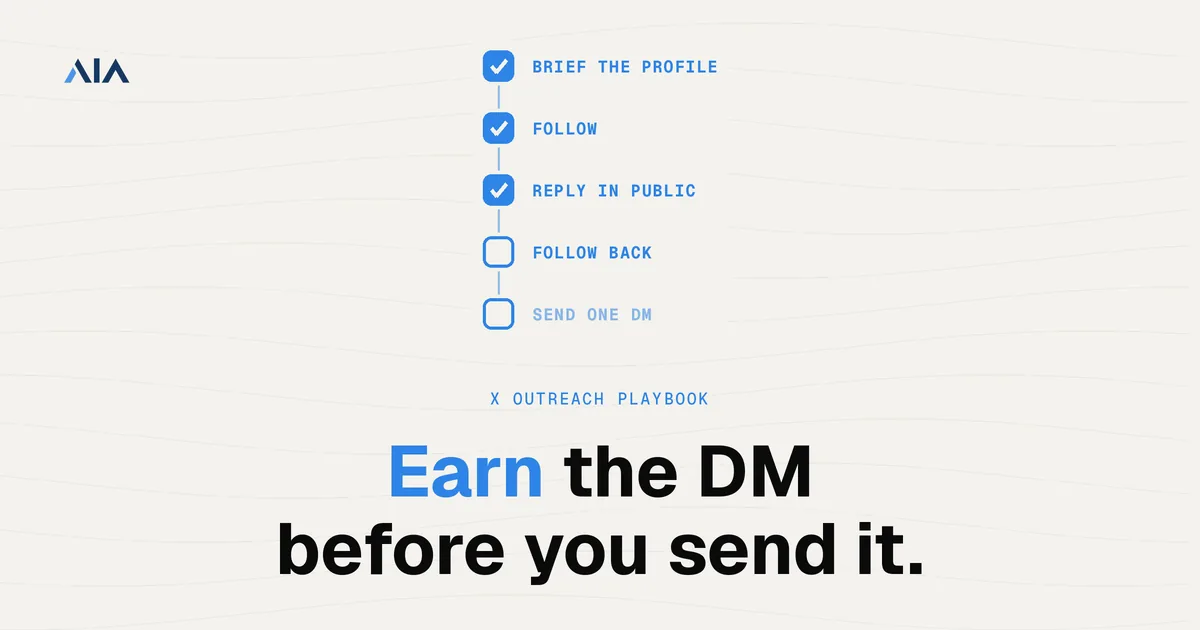
The sequence that works on X is slower than a LinkedIn sequence and more personal. A typical shape per prospect:
- Follow. It costs nothing and puts the prospect’s posts in front of the sending profile.
- Engage in public a few times over a week or two. Reply with something useful: a short example, a respectful disagreement, a question that shows you read the post. Likes alone do very little.
- Watch for a signal. A follow back, a reply to your reply, or a post that touches the client’s problem directly. Any of these gives you a reason to message.
- Send one DM with context. Refer to the conversation you already had, ask one easy question, and leave the pitch for later.
- Follow up once, then go back to public. If there is no reply, one short follow-up is enough. After that, keep engaging with their posts and try again only if a new reason appears.
When the prospect follows the sending profile back, the DM usually lands in their main inbox instead of the requests folder, and it arrives from someone they already recognise. That change usually matters more than any tweak to the wording.
Writing the First DM
The first DM has one job: get a reply. A few patterns that work, with placeholders for the client’s details:
- The follow-on. “Your point about [topic] under [their post] stuck with me. Are you seeing the same thing on [related problem], or is that just us?”
- The specific question. “Saw you are rebuilding [process] this quarter. What made you move off [old approach]? Asking because we work on that for [type of company].”
- The useful share. “You asked about [question] last week. We wrote up how [type of team] handles it, happy to send it over if useful.”
What to leave out: links in the first message, long introductions, calendar links, and anything that could be pasted unchanged to a hundred people. X treats near-identical messages sent at volume as spam, and so do the people receiving them.
Pace the Work and Respect the Limits
X counts actions from every device and tool against the same account limits, so an automation tool gets no extra allowance. Plan capacity around the message request limit for the account’s tier, not around the much higher overall DM limit, and stay well under both.
Habits that keep profiles healthy:
- Spread activity across the day. Bursts of follows or messages look automated.
- Vary every message. Personalise from the conversation, not from a template with one swapped name.
- Keep follows in proportion. A profile that follows hundreds of accounts a day and is followed by few looks like a spam account.
- Use one stable IP per profile through your own proxy setup, and keep each profile on the same device fingerprint if your tooling allows it.
- Read X’s automation rules before you connect any tool. They set out what X considers acceptable, and they change.
Run X Alongside LinkedIn, Not Instead of It
For most B2B clients, X works best as a second channel next to LinkedIn. LinkedIn gives you reach by title and company. X gives you context and a warmer way into the people who are active there.
Keep the two coordinated. One shared suppression list across both channels, one owner per prospect, and a rule that a prospect in an active LinkedIn conversation does not also get a cold DM on X that week. Our guide to running multi-channel outreach from one identity covers how to keep a persona consistent when the same prospect may see it in more than one place.
Report What Predicts Meetings
X campaigns need a slightly different report from LinkedIn ones, because more of the work happens in public. Report the funnel in order: prospects engaged in public, follow backs, DMs sent, replies, positive replies, meetings booked. Add a short note on which topics and reply styles started conversations, and which accounts or niches stayed silent.
Be clear with the client that the first weeks are mostly public engagement. If they expect a full inbox in week one, the report will disappoint them even when the channel is working.
Talk About Platform Risk Up Front
X restricts and suspends accounts that behave like spam, whatever tool runs them and wherever the profile came from. No provider can promise that a profile will never be limited, and an agency that implies otherwise is setting up a hard conversation later.
Explain what reduces the exposure: warmed-up profiles, slow pacing, real public engagement, varied messages and stable infrastructure. Then explain what contains it: enough profiles that losing one does not stop a campaign, and a plan for replacing a profile if it happens. Message us before a large X rollout and ask how replacements work for X profiles on your order.
Where X Outreach Does Not Fit
X is the wrong primary channel when the client’s buyers are not active there. Many enterprise buyers, public sector teams and traditional industries barely post, and no amount of engagement will reach people who are not reading.
It is also a poor fit for clients who need volume quickly. The engage-first sequence takes time per prospect, and the message request limits keep raw volume low. If the client needs hundreds of first touches a week, LinkedIn or email will carry that load better, with X as a smaller, warmer lane alongside.
And it does not suit clients who cannot handle public conversation. On X, your sender’s replies are visible to everyone. If the client’s approvals process cannot keep up with replies in public, keep X to listening and save the profiles for when it can.
Getting Started
Pick one client whose buyers are clearly active on X, set up two or three profiles around distinct personas, give them time to post and reply before any DMs, and run the engage, follow, message sequence for a month before you judge the channel. Our AIA X setup guide covers ordering and customising profiles in three steps, and the AIA pricing page lists X profiles alongside the LinkedIn tiers.
Planning X outreach for a client? Message us on WhatsApp at wa.me/37256084933 with the client’s audience and the personas you have in mind, and we will suggest how many profiles fit.
Ready to add X to your outreach? Visit app.getaia.io to order your profiles.
